


Think OLED is always the best TV? Not necessarily.
OLED, QLED, and LED make light in very different ways, and that changes how deep blacks look, how bright HDR highlights get, how wide the picture stays accurate, and how much you’ll pay.
This guide strips away the specs and shows the real trade-offs: contrast vs brightness, gaming speed vs long-term durability, so you can pick the right panel for your room, viewing habits, and budget.
Core Differences in TV Technologies for an Immediate Comparison

Modern TVs break down into four main types, and each one produces light in a different way. OLED panels use organic materials that glow on their own—every single pixel (about 8.3 million of them in a 4K screen) turns on and off independently. QLED adds a quantum-dot film between an LED backlight and an LCD layer, which pumps up color and brightness but still depends on zones of LEDs sitting behind the panel. Mini-LED takes that same idea and shrinks the backlight LEDs down to pinhead size, letting manufacturers cram over 1,300 independent dimming zones into something like a 65-inch Samsung QN95D. That’s a lot, but it’s still nowhere near OLED’s pixel-by-pixel control. MicroLED goes all the way, placing microscopic self-emissive LEDs at every pixel, though the price tag keeps it out of reach for almost everyone.
You can spot the performance gaps right away in the specs. OLED hits infinite contrast because pixels that are off produce literally zero light, and response time sits below one millisecond. That makes current models work with 144 Hz or even 165 Hz refresh rates for gaming. QLED and Mini-LED push peak brightness way past typical OLED output, often double in mid-range Mini-LED sets, which makes HDR highlights really pop when you’ve got a bright room. Viewing angles? OLED wins by a mile. Colors and contrast hold steady up to 70 degrees off-axis, while LCD-based QLED and Mini-LED panels show obvious color shift and murky blacks when you sit to the side.
Cost plays out across the board in different ways. QLED offers the widest range of sizes and prices, running from budget 43-inch sets around $380 all the way to 85-inch flagships. There’s no burn-in risk and scaling up is straightforward. Mini-LED sits in between, delivering near-OLED blacks and high brightness at prices that undercut premium OLED models. OLED commands a premium for unmatched contrast and ultra-thin panels, but moving from 55 inches to 83 inches can triple the price. And there’s a small but real risk of image retention over time.
| Technology | Light Source | Contrast | Peak Brightness | Price Range |
|---|---|---|---|---|
| LED | Full-array or edge-lit LED backlight + LCD | Moderate; prone to blooming | High (500–1,000 nits typical) | Budget to mid ($380–$1,200) |
| QLED | LED backlight + quantum-dot film + LCD | High but limited by zones | Very high (1,000–2,000+ nits) | Mid to high ($700–$3,000) |
| Mini-LED | Mini-LED backlight (1,000+ zones) + quantum dots + LCD | Very high; near-OLED blacks | Very high (1,500–2,500+ nits) | Mid to premium ($1,000–$4,000) |
| OLED | Self-emissive organic pixels (no backlight) | Infinite (true pixel-off blacks) | Moderate (600–1,200 nits typical) | Premium ($1,500–$8,000+) |
| MicroLED | Self-emissive inorganic micro-LEDs at pixel scale | Infinite (true pixel-off blacks) | Extremely high (2,000+ nits) | Ultra-premium ($50,000+) |
Technical Foundations of TV Display Technologies

The big split in TV tech comes down to transmissive versus emissive. Transmissive displays (LED, QLED, and Mini-LED) sandwich a liquid-crystal layer between a backlight and you. The backlight stays on all the time. Liquid crystals twist to block or pass light, and color filters add red, green, and blue. Emissive displays generate their own light at each pixel. OLED uses organic compounds that glow when voltage hits them. MicroLED uses tiny inorganic LEDs, each one a standalone light source. The transmissive approach needs a backlight grid, so you’re controlling brightness in zones instead of per pixel. Emissive tech switches individual pixels on and off.
Quantum dots sit at the heart of QLED and most Mini-LED sets. A film of nanocrystals lives between the backlight and the LCD panel, and each one is tuned to emit a specific color wavelength. When blue light from the backlight hits the quantum dots, they re-emit precise red and green wavelengths. That expands the color range and boosts brightness efficiency. Mini-LED refines the backlight itself, replacing a few hundred larger LEDs with thousands of LEDs smaller than a grain of rice. That density allows finer local dimming, up to roughly 3,000 zones in some models. Bright objects can shine without lighting up surrounding dark areas as much as older full-array or edge-lit designs.
MicroLED pushes miniaturization to the pixel level, placing microscopic inorganic LEDs right where light is needed. The result combines OLED’s infinite contrast with inorganic longevity and higher potential brightness. But manufacturing yields are still low and costs stay in the range of a compact car. Commercial adoption is years away for most buyers, leaving MicroLED as a proof-of-concept technology demonstrated in 8K prototypes at industry events.
- IPS LCD panels prioritize wide viewing angles and consistent color but show weaker contrast and greyish blacks, common in budget LED TVs.
- VA LCD panels deliver deeper blacks and higher native contrast but you lose viewing angles, often paired with local dimming in mid-range QLED sets.
- WOLED (White OLED) emits white light from organic layers and uses an RGB color filter on top. All standard WOLED panels come from a single large supplier.
- QD-OLED replaces the color filter with a quantum-dot layer, improving brightness and color purity by eliminating filter losses. You’ll find it in models like the Samsung S95D and Sony A95L.
- Mini-LED backlights sit behind an LCD panel and enable far more precise dimming zones than traditional LED arrays, bridging much of the contrast gap to OLED.
Image Quality Factors in Modern TV Technology
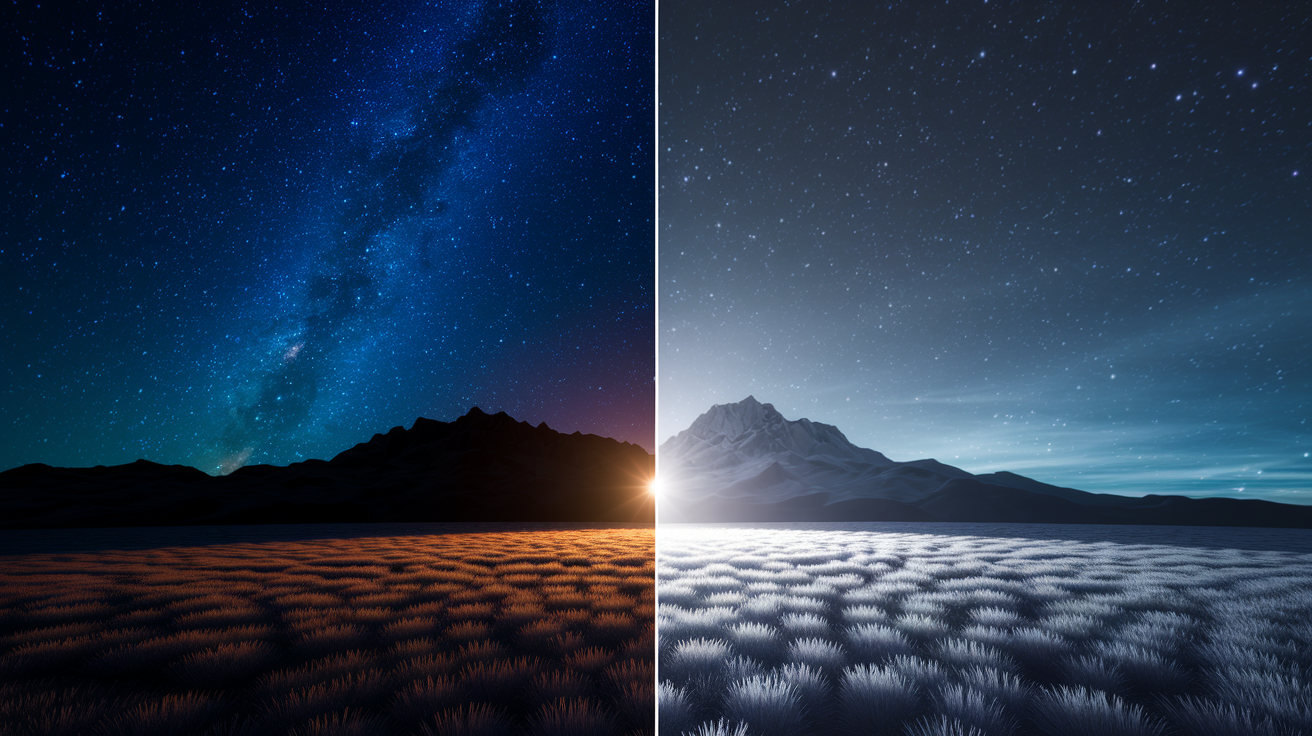
Contrast determines how convincingly a display separates the brightest highlights from the darkest shadows. OLED panels turn individual pixels completely off, producing a measured black level of effectively zero nits and a contrast ratio that testing labs call infinite. Stars against a night sky or a candle in a dark room appear without any surrounding glow. Mini-LED narrows the gap by dividing the backlight into hundreds or thousands of zones. Each zone dims independently, so a bright object in one corner won’t lift black levels across the entire screen. Standard QLED and LED sets use fewer, larger zones (sometimes only a few dozen), which creates visible blooming. That’s a halo of light around bright objects on dark backgrounds. In practice, high-end Mini-LED with more than 1,000 zones looks nearly indistinguishable from OLED to most viewers in mixed content. But side by side in a pitch-black scene the difference is clear.
Brightness and color volume define how vivid and punchy an image can look, especially in HDR content. QLED and Mini-LED regularly hit peak brightness above 2,000 nits in small windows, roughly double the sustained brightness of a typical WOLED panel (which often peaks between 600 and 800 nits in larger areas). That extra headroom makes HDR highlights way more impactful in well-lit rooms. Sunlight reflecting off water, explosions, bright sky. Newer OLED variants close the gap. QD-OLED panels push brightness higher by eliminating the color filter, and Primary RGB Tandem OLED designs (a four-stack architecture in sets like the LG G5) reach brighter peaks while maintaining color accuracy. Wide color gamut coverage matters too. Quantum-dot-equipped sets typically cover over 90 percent of the DCI-P3 space used for HDR mastering, while standard LED and older OLED models may fall slightly short.
Viewing angles and uniformity affect how the picture holds up across a room. OLED maintains color accuracy and contrast out to roughly 70 degrees off-center because each pixel emits light directly toward you with no angular dependence on a backlight. LCD-based QLED and Mini-LED panels shift color and lose contrast as you move off-axis. VA panels, common in these sets, show the most dramatic falloff. IPS panels trade deeper blacks for wider angles. Backlight uniformity can also vary. Some Mini-LED and QLED sets show faint vertical or horizontal banding in solid gray fields, and corner vignetting sometimes appears in lower-cost full-array LED models. Premium Mini-LED implementations have largely solved those issues with tighter zone control and better diffusion layers.
- Peak brightness in nits (HDR window): Look for lab measurements of sustained 10% window brightness. Above 1,500 nits is strong for HDR, above 2,000 nits is flagship-tier.
- Color gamut coverage percentages: Check DCI-P3 (HDR) and Rec.2020 (future content) coverage. 95%+ DCI-P3 is excellent, anything above 90% is very good.
- Uniformity levels and dirty-screen effect: Read reviews that test gray uniformity with a 5% or 50% gray slide. Minimal variation across the panel indicates good quality control.
Motion Performance, Gaming Features, and Input Responsiveness Across TV Types
Response time measures how quickly a pixel can change state, and that speed directly affects motion clarity. OLED pixels switch in under one millisecond because applying or removing voltage to an organic layer is nearly instantaneous. The result is sharp, crisp motion with minimal blur, even in fast-panning camera shots or high-speed gaming. LCD-based QLED and Mini-LED panels rely on liquid crystals physically rotating, which takes longer (typically 5 to 10 milliseconds in practice, sometimes more in budget models). That lag produces visible smearing in rapid motion unless the set uses black-frame insertion or overdrive circuitry, both of which can introduce flicker or artifacts. For competitive gaming or action-heavy content, OLED’s response advantage is measurable and often immediately noticeable.
HDMI 2.1 bandwidth unlocks the full feature set of current-generation consoles and high-end gaming PCs. The spec supports 4K at 120 Hz or higher, which requires roughly 40 Gbps of throughput (double what HDMI 2.0 can handle). Beyond refresh rate, HDMI 2.1 enables Variable Refresh Rate (VRR) to eliminate screen tearing, Auto Low Latency Mode (ALLM) to bypass processing when a game console is detected, and enhanced Audio Return Channel (eARC) for lossless surround formats. Most 2023 and later OLED models ship with four full-bandwidth HDMI 2.1 ports. QLED and Mini-LED sets vary. Flagship models include two to four ports, but mid-range sets sometimes limit full bandwidth to one or two inputs.
Gaming Feature Checklist
- VRR (Variable Refresh Rate): Synchronizes the display’s refresh with the GPU’s frame output, preventing tearing and stuttering. Supported via HDMI 2.1 VRR, FreeSync, or G-Sync Compatible certification.
- ALLM (Auto Low Latency Mode): Automatically switches to game mode when a console or PC is detected, cutting input lag without manual picture-mode adjustments.
- 4K at 120 Hz or higher: Requires HDMI 2.1 and enough processing power in the TV’s chipset. Some OLED models now support 144 Hz or 165 Hz in PC mode.
- Input lag thresholds: Measured from controller input to on-screen response. Below 20 ms in game mode is good, below 10 ms is excellent. OLED often sits around 5 to 6 ms.
- eARC relevance for gaming setups: Passes Dolby Atmos and DTS:X from the TV back to a soundbar or receiver without compression. Important if you route consoles through the TV rather than an AVR.
Motion Handling Differences
Motion interpolation (often labeled “motion smoothing” or “soap-opera effect”) uses the TV’s processor to generate intermediate frames between the source’s native frames, raising the effective frame rate from 24 fps or 30 fps to 60 fps or higher. The technique reduces judder but introduces a hyper-smooth look that many viewers find unnatural, and it can create artifacts around fast-moving edges. OLED handles interpolation cleanly because pixel response is instantaneous, so generated frames don’t smear into one another. LCD-based QLED and Mini-LED sets struggle more. Slower pixel response means interpolated frames can blur together, and some models insert black frames (BFI) to sharpen motion at the cost of brightness and occasional flicker. For film purists and most gamers, turning off motion processing entirely is the preferred setting regardless of panel type.
Screen Size, Room Conditions, and Practical Viewing Scenarios

Seating layout dictates how much off-axis viewing consistency matters. A single centered couch works fine with any technology, but wider rooms with chairs or sofas at 30 degrees or more off-center favor OLED’s uniform color and contrast across angles. QLED and Mini-LED panels, especially those using VA-type LCD layers, show visible color desaturation and contrast loss from the side. Viewers at the edges see a washed-out picture compared with those sitting directly in front. IPS-based LED sets offer wider angles but sacrifice the deep blacks that make HDR content look dramatic.
Lighting conditions separate the technologies more than any other single factor. OLED excels in dim or dark rooms where its infinite contrast and true blacks create a cinema-like experience. Ambient light doesn’t wash out those blacks because the pixels are actually off. In bright rooms with windows or overhead lights, OLED’s lower peak brightness (often 600 to 800 nits sustained) can look dim next to a QLED or Mini-LED set pushing 1,500 to 2,500 nits. Anti-reflection coatings help. Some OLED models and flagship QLEDs now ship with multi-layer AR treatments that cut glare substantially, but the underlying brightness difference remains. If your room has uncontrolled daylight, QLED or Mini-LED will look noticeably more vibrant.
Size availability splits along manufacturing lines. OLED panels are difficult and expensive to produce at very large sizes. 42 inches is the smallest widely available OLED (models like the LG OLED42C4), and moving from 55 inches to 77 or 83 inches often doubles or triples the price. QLED and Mini-LED scale more predictably because LCD panels are easier to manufacture at scale, so 85-inch sets appear across budget, mid-range, and premium tiers without the dramatic price jumps seen in OLED. For desktop or bedroom use, 42-inch OLED offers a compact premium option, but it often costs nearly as much as a 55-inch OLED because production volumes are lower.
| Scenario | Recommended Tech | Why | Notable Limitations |
|---|---|---|---|
| Bright room with windows | QLED / Mini-LED | Peak brightness above 1,500 nits preserves HDR impact and color saturation in ambient light; anti-reflection coatings reduce glare | Viewing angles narrower than OLED; some blooming in high-contrast scenes |
| Dark room / home theater | OLED | True blacks and infinite contrast create deepest shadow detail and eliminate halo artifacts | Lower peak brightness limits small-highlight HDR punch; potential image retention with static content |
| Large seating area (wide angles) | OLED | Color and contrast remain consistent out to 70+ degrees off-axis for uniform picture across all seats | Smaller selection of very large sizes (83″ max common); high cost at large sizes |
| Small rooms / desks | OLED (42″) or compact QLED | OLED offers premium picture in a small form factor; compact QLED provides budget-friendly 43″ option | 42″ OLED pricing often close to 55″ due to lower volumes; smaller QLED may use edge-lit backlights |
Lifespan, Durability, and Risk Factors in TV Technology
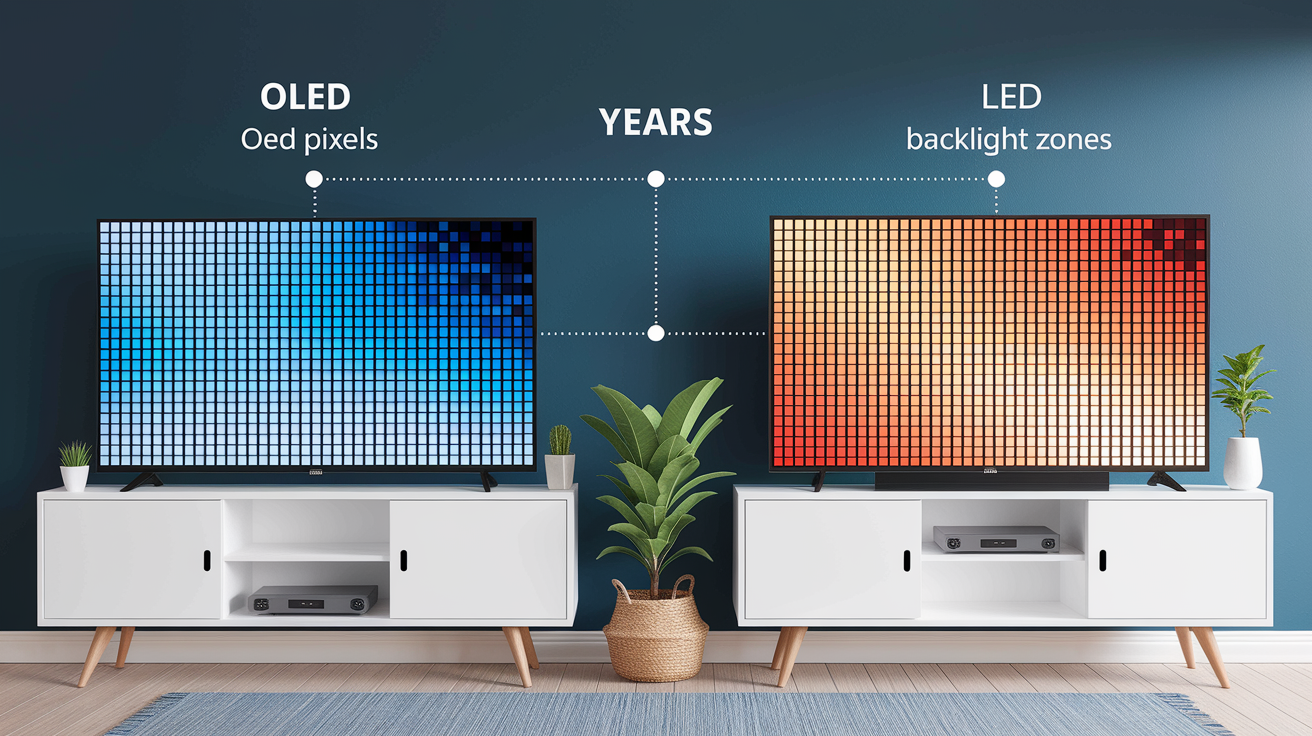
LED backlights in QLED, Mini-LED, and standard LED TVs typically last seven to ten years of regular use before noticeable dimming. The LCD layer itself remains stable over that period. These sets carry no risk of permanent image retention because the backlight and liquid crystals reset every time the TV powers off. Panel uniformity can degrade slightly over time. Backlights may dim unevenly, and some edge-lit models develop yellow tinting in corners. But catastrophic failures are rare outside of physical damage or power-supply issues.
OLED lifespan hinges on the organic materials that emit light. Red and green subpixels last more than 45,000 hours at typical brightness levels, but blue subpixels wear out faster (around 15,000 hours), which can lead to a subtle color-temperature shift toward red-orange over many years of heavy use. Manufacturers mitigate this by overdriving blue pixels initially and gradually increasing current as they age, a process managed by the panel’s firmware. Image retention remains the most-discussed OLED risk. Static elements like channel logos, game HUDs, or desktop taskbars can leave faint ghosting if displayed for thousands of hours. Modern OLEDs deploy pixel shifting (nudging the image by a few pixels periodically), logo dimming (detecting and reducing brightness in static areas), and automatic pixel-refresh cycles (run during standby after a set number of hours). Real-world testing over the past few years shows image retention incidence is very low in typical mixed-content use, but it remains a consideration for anyone planning to display static content for extended daily periods.
- OLED wear patterns: Blue subpixels age fastest (~15k hours vs >45k for red/green), potentially causing slight warmth in color temperature after years of use. Automatic compensation and refresh cycles slow the process.
- LED backlight aging: Brightness output declines gradually over 7 to 10 years. Edge-lit designs may show uneven dimming or color shift at panel edges sooner than full-array or Mini-LED implementations.
- Panel uniformity risks: QLED/Mini-LED can develop faint vertical banding or “dirty screen effect” (DSE) visible in sports or panning shots, more common in budget and mid-range models. OLED uniformity is generally more consistent but some near-black tinting can appear.
- Power consumption differences: OLED uses minimal power displaying dark content (pixels off) but can draw up to three times as much as QLED/LED when showing bright, full-screen white images. QLED/Mini-LED power draw stays steadier regardless of content.
Long-term cost of ownership also factors in energy bills and replacement cycles. High-end buyers who chase new features may replace sets every three to five years, making OLED’s potential ten-year lifespan less critical than initial picture quality. Budget-conscious buyers keeping a set for a decade should weigh OLED’s aging curve against QLED’s stable but gradually dimming backlight, and consider usage patterns. Cable news with persistent logos tips the scale toward QLED, while varied movie and gaming use suits OLED.
Price Tiers, Value Assessment, and Market Availability

QLED sets span the widest price and size range, starting around $380 for a 43-inch 4K model like the Samsung TU-8000 and stretching to $3,000 or more for 85-inch flagships with full-array local dimming and premium processors. That breadth makes QLED the default choice for buyers prioritizing screen size per dollar. It’s the only realistic path to an 85-inch or larger display under $2,000. Mini-LED occupies the value sweet spot in the mid-to-premium segment. The TCL 6-Series R635 55-inch, priced just under $1,000, packs hundreds of dimming zones and delivers brightness roughly double that of typical OLED, closing much of the contrast gap while staying well below OLED pricing. Mini-LED scales across sizes (55, 65, 75, and 85 inches) without the steep per-inch cost increases seen in OLED.
OLED commands a premium for picture quality and industrial design. A flagship like the Sony Bravia XR A90J starts at $2,800 for 55 inches, climbs to roughly $3,800 for 65 inches, and reaches $8,000 at 83 inches. That reflects the difficulty of manufacturing large OLED panels. Mid-priced alternatives exist. The VIZIO OLED H1 in 55 or 65 inches sells for about half the price of top-tier models while delivering much of the same infinite-contrast benefit, though it sacrifices advanced processing, build quality, and sometimes peak brightness. For buyers who want OLED’s black levels without flagship expense, these mid-range options offer a clear value path. MicroLED sits in a separate category entirely. Current pricing resembles a compact car rather than a TV, targeting luxury installations and commercial signage, with no expectation of consumer adoption in the near term.
Resale value and upgrade cycles vary by technology and tier. Premium OLED sets depreciate quickly in the first year as new models appear each June, but they hold perceived value better than mid-range QLED because picture quality remains competitive longer. Budget LED and QLED sets lose value fastest because annual panel and processor improvements are incremental and new models often undercut previous years’ pricing. Buyers planning to upgrade every cycle may find better long-term cost efficiency in mid-range Mini-LED, which delivers most of the performance leap at a lower entry price. Those keeping a set for five-plus years benefit from OLED’s time-tested picture consistency.
- Best pick for movies: OLED (true blacks, shadow detail, accurate color in controlled lighting) or high-zone-count Mini-LED if peak brightness is needed for HDR highlights.
- Best pick for gaming: OLED for response time under 1 ms, 144 to 165 Hz support, and motion clarity. High-end Mini-LED works well for bright-room gaming with less concern about image retention.
- Best pick for sports: QLED or Mini-LED for sustained high brightness, wide color, and no image retention risk from static scorebugs. Prioritize sets with good motion handling and low input lag.
- Best pick for bright rooms: QLED or Mini-LED with anti-reflection coating and peak brightness above 1,500 nits to maintain color saturation and contrast under ambient light.
- Best pick for budget buyers: Standard LED with full-array local dimming (not edge-lit) or entry-level QLED in the $400 to $800 range for 43 to 55 inches. Avoid bottom-tier edge-lit sets.
- Best pick for premium viewers: QD-OLED (Samsung S95D, Sony A95L) or Primary RGB Tandem OLED (LG G5) for cutting-edge brightness, color, and contrast in one package.
Future Display Technologies and Long-Term Market Evolution

MicroLED prototypes regularly appear at industry trade shows, including self-emissive 8K displays with per-pixel control and brightness potential well above current OLED. The technology eliminates organic materials, removing image retention risk and lifespan limitations while theoretically matching or exceeding OLED’s contrast. Manufacturing remains the barrier. Yields are low because placing millions of microscopic LEDs with sub-pixel precision is expensive and error-prone, and costs stay in the five-figure range even for modest screen sizes. Industry roadmaps suggest MicroLED will remain a niche product for commercial installations and ultra-luxury buyers for at least the next three to five years, with meaningful consumer adoption unlikely until manufacturing processes mature and costs drop by an order of magnitude.
Self-emissive QLED, distinct from the current LCD-based QLED technology, has appeared in prototype form at recent events. These designs use quantum-dot nanocrystals that generate light directly when voltage is applied, eliminating the need for a backlight or an OLED organic layer. If commercialized, the technology could combine QLED’s brightness and color with OLED’s per-pixel control and slim form factor, while avoiding concerns about image retention. Samsung and others have demonstrated working panels, but no launch timeline or pricing has been announced. MLA OLED, which used a micro-lens array to boost brightness efficiency, was introduced around 2022 and discontinued after roughly two years. It appeared in models like the LG G4, Panasonic Z95A, and Philips OLED909 before being replaced by Tandem OLED and QD-OLED designs that delivered similar or better brightness gains without the additional optical layer.
- Upcoming breakthroughs in self-emissive QLED: Eliminate LCD layers and backlights, potentially offering OLED-like contrast with higher brightness and no organic-material aging. Prototypes shown but commercial launch timing uncertain.
- Falling MicroLED costs tied to manufacturing scale: Current luxury pricing requires mass-production investment and yield improvements. Consumer models unlikely before late 2020s unless a major manufacturer commits capacity.
- AI-driven upscaling and processing: Machine-learning chipsets in current flagship models already sharpen lower-resolution content and improve HDR tone mapping. Expect further refinement to narrow the gap between native and upscaled 4K/8K content.
Comprehensive TV Technology Comparison Chart and Expert Decision Matrix

Use this decision matrix by first identifying your primary use case (movies, gaming, sports, or mixed) and your room’s lighting conditions. Match those factors to the technology column that offers the most relevant strengths, then cross-reference size availability and budget to narrow your shortlist. The matrix isolates core performance categories so you can weigh trade-offs directly. A high score in brightness may matter less if you control ambient light, while superior viewing angles become critical in wide seating layouts. No single technology wins every category, so prioritize the two or three factors that matter most to your daily viewing.
Performance differences become clearest when you separate peak capabilities from typical behavior. OLED’s infinite contrast means every dark scene benefits, not just carefully graded HDR demos. QLED’s brightness advantage only shows up in HDR highlights or bright-room use. SDR content at moderate brightness levels looks similar across technologies if processing and panel quality are comparable. Gaming performance hinges on response time and refresh rate support more than panel type, but OLED’s sub-1 ms advantage is measurable and often visible in fast motion. Viewing angles and uniformity matter progressively more as screen size grows and seating spreads out, making OLED the safer pick for rooms with multiple viewing positions.
| Technology | Brightness (HDR Peak) | Contrast (Black Level) | Viewing Angles | Gaming Performance | Ideal Use Case |
|---|---|---|---|---|---|
| OLED | Moderate (600–1,200 nits typical) | Infinite (true pixel-off blacks) | Excellent (70°+ off-axis consistency) | Excellent (sub-1 ms, 144–165 Hz) | Dark rooms, movies, gaming, wide seating |
| QLED | High to very high (1,000–2,000+ nits) | Good (limited by backlight zones) | Moderate (color shift beyond ~30°) | Good to very good (depends on model) | Bright rooms, large sizes, budget flexibility |
| Mini-LED | Very high (1,500–2,500+ nits) | Very high (near-OLED with 1,000+ zones) | Moderate (similar to QLED) | Very good (varies by processing) | Bright rooms, HDR emphasis, value seekers |
| MicroLED | Extremely high (2,000+ nits) | Infinite (self-emissive, no blooming) | Excellent (emissive per pixel) | Excellent (sub-1 ms potential) | Ultra-premium installations, future-proofing |
Expert-level selection logic starts with room lighting and seating, then layers in budget and size constraints. For a dedicated home theater with controlled lighting and a single centered row, OLED delivers the most cinema-accurate picture. 65 or 77 inches hits the sweet spot between immersion and cost. For a family room with windows and furniture spread wide, a 75 or 85-inch Mini-LED or QLED set offers better practical brightness and value, even if measured contrast trails OLED in lab tests. Gamers should prioritize input lag, VRR support, and refresh rate over panel type, though OLED’s motion clarity gives a tangible edge in competitive play. Budget buyers gain the most by avoiding bottom-tier edge-lit sets and stepping up to a mid-range QLED or entry Mini-LED with at least basic local dimming. That’s where the performance jump per dollar spent is steepest.
Final Words
We laid out how OLED, QLED, Mini‑LED and MicroLED differ in brightness and HDR, true blacks and viewing angles, and price tiers.
You got the technical basics, picture and motion trade‑offs, durability notes, and price guidance so you can match a screen to your room and habits.
If you need a quick rule: OLED for movies in dark rooms, Mini‑LED or QLED for bright rooms and value, MicroLED if budget isn’t a limit.
This tv technology comparison should make choosing easier, pick the one that fits your room and enjoy the upgrade.
FAQ
Q: Which type of TV technology is best?
A: The best TV technology depends on your needs: OLED for deepest blacks and wide viewing angles, QLED/Mini‑LED for higher peak brightness and bright rooms, MicroLED for ultra‑premium sizes and performance.
Q: Which is better, 4K or QLED or OLED?
A: The 4K vs QLED vs OLED question: 4K is a resolution, QLED and OLED are panel types — you can get 4K OLED or 4K QLED. Pick OLED for blacks/gaming, QLED for brightness and value.
Q: Which is better, OLED or QLED or QNED?
A: Choosing between OLED, QLED, and QNED: OLED provides self‑emissive perfect blacks and fast response, while QLED and QNED (quantum‑dot + Mini‑LED) deliver higher brightness, less burn‑in risk, and more size/price options.