


Most IT vendors sell trust.
Few earn it.
If you’re hiring a tech team, don’t buy promises, buy proof.
This guide shows how to find reliable IT partners by checking verifiable credentials, clear pricing, security SLAs, customer scale, and documented cost savings.
You’ll learn six practical checks and the core capabilities a partner must have so you stop guessing and start signing with confidence.
Read on for simple tests, red flags to avoid, and exact questions to ask during vendor interviews.
How to Identify a Trusted Tech Team for Your Business Needs
A trusted tech team shows up with verifiable credentials, customer scale, and measurable outcomes. You’re looking for evidence, not promises. Industry certifications, partner rankings, and documented customer success tell you whether they can actually deliver. Top-tier Microsoft partners sit in the highest 1% of roughly 400,000 global partners. They serve thousands of recurring customers with certified engineers holding multiple cloud competencies. That kind of recognition doesn’t happen by accident.
Real trust comes from validated savings and client retention. Teams that cut cloud licensing costs by 27–33% or deliver six-figure annual savings? They’re demonstrating both technical skill and commercial accountability. Testimonials about simplified licensing, faster support, and improved security give you additional proof. When a provider maintains over 6,000 monthly recurring relationships, they’re meeting expectations across diverse business needs consistently.
Before you commit to a tech partner, verify these six criteria:
Microsoft (or AWS/Google) partner certifications and solution designations. Minimum three cloud-focused competencies required.
Documented pricing transparency. Itemized discounts, consolidated billing, net terms clearly stated upfront.
Customer references at similar scale and industry. Contactable clients willing to discuss outcomes and support quality.
Security governance frameworks. Zero-trust, identity controls, 24/7 threat monitoring, backup/retention policies.
Written SLAs. Specific response times, uptime guarantees, escalation paths, and remediation timelines.
Quantified proof of cost savings. Case studies showing percentage reductions and absolute dollar amounts, not vague efficiency claims.
Core Capabilities a Trusted Tech Team Should Offer
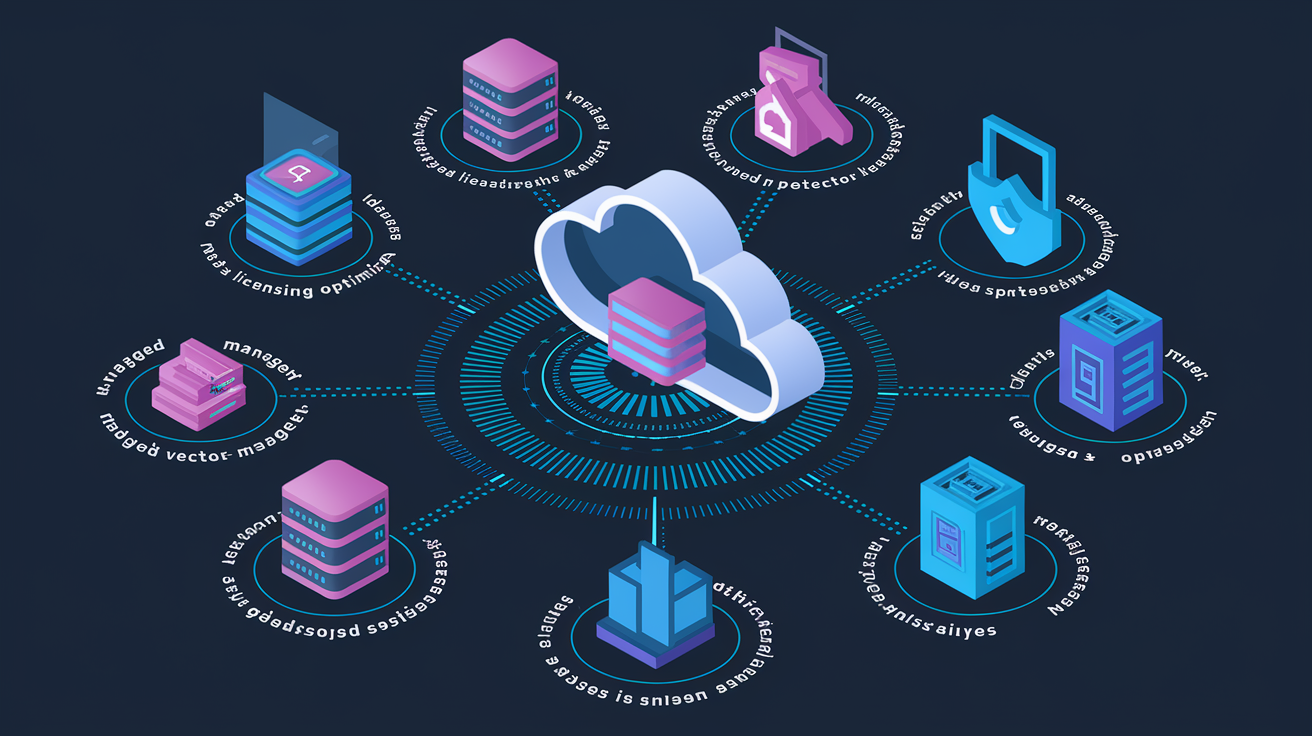
A capable tech team covers cloud infrastructure, security, modernization, and lifecycle management across multi-cloud environments. Strong partners deliver Microsoft 365 and Azure deployments, SQL Server licensing optimization, identity and access governance, endpoint protection, mailbox and SharePoint migrations, and 24/7 managed detection and response. They also adapt quickly to platform updates, which can arrive every three months from major cloud providers.
Multi-cloud fluency matters. While many teams earn significant revenue from one ecosystem, reliable partners also work with Amazon and Google cloud platforms. They deliver proactive optimization alongside reactive break-fix support. They maintain internal training cycles to stay aligned with rapid vendor changes and build repeatable solutions for licensing, security, and governance challenges common in commercial environments serving 250 to 5,000 employees.
Expect these eight capabilities from a competent tech team:
Cloud architecture and migration for Azure, Microsoft 365, AWS, and Google Cloud.
Advanced licensing optimization for Windows Server, SQL Server, and Microsoft 365 in multi-user environments.
Identity and access management with zero-trust frameworks and governance controls.
Endpoint protection and mobile device management via platforms like Microsoft Intune.
Managed detection and response (MDR) with 24/7 threat monitoring, analysis, and rapid incident response.
Data consolidation and AI-readiness projects to structure terabytes for generative AI and agent deployment.
Seamless migrations covering mailboxes, SharePoint, and legacy system modernization.
Proactive monitoring and break-fix support with tiered service models (platinum, business-critical, basic).
Evaluating the Security & Compliance Strength of a Trusted Tech Team

Security maturity starts with 24/7 monitoring, structured incident response, and governance frameworks that minimize excessive permissions. Strong tech teams offer managed detection and response (MDR) with continuous threat analysis and rapid escalation when incidents occur. They implement identity and access governance, backup and retention policies aligned with compliance requirements, endpoint protection, and security awareness training to reduce human risk.
Verify that a tech team can document its security operations center (SOC) workflows, penetration testing cadence, vulnerability assessment processes, and disaster recovery procedures. Ask for evidence of compliance program management if your industry requires specific frameworks. A provider’s willingness to share incident response runbooks, backup retention schedules, and governance audit results? That signals transparency and operational discipline.
Watch for gaps in published service-level agreements. If a provider promotes security capabilities but offers no written SLAs covering detection time, response time, uptime during incidents, or escalation paths, request those details in writing before signing.
| Security Area | What to Verify |
|---|---|
| Penetration Testing | Frequency of internal and external tests, proof of remediation tracking and re-testing after fixes |
| Backup & Retention | RPO/RTO targets, offsite storage, documented restore tests, compliance-aligned retention schedules |
| SOC Workflows | 24/7 coverage model, SIEM tooling, alert triage process, mean time to detect (MTTD) and mean time to respond (MTTR) |
| Incident Response | Written playbooks, escalation matrix, post-incident review process, communication plan during active incidents |
| Identity & Governance | Zero-trust implementation, role-based access controls, periodic access reviews, privileged identity management, MFA enforcement |
Operational Maturity: How Trusted Tech Teams Manage Delivery & Support

Mature tech teams combine proactive monitoring, automated provisioning, and tiered support models to deliver consistent service across thousands of customers. They use dashboards for real-time performance tracking, infrastructure-as-code practices to standardize deployments, and continuous integration/continuous delivery pipelines to accelerate updates while reducing errors. Operational excellence appears in details like express quoting tools, licensing calculators that prevent over-purchasing, management portals granting customers 24/7 visibility into licenses and renewals, and rapid digital delivery that eliminates long lead times for software provisioning.
Support tiers should match your risk profile. Platinum or business-critical support provides faster response times and dedicated account managers for enterprises, while basic or break-fix support suits smaller environments with lower uptime requirements. Fully onshore support teams reduce timezone friction and improve communication clarity. Automated provisioning and self-service portals allow customers to add or remove licenses month-to-month without opening tickets.
Verify these five maturity indicators when evaluating delivery and support capabilities:
Published SLAs with specific response and resolution times for each support tier.
Observability tooling (APM, logging, tracing) integrated into your environment with customer portal access.
Infrastructure-as-code adoption for repeatable, version-controlled deployments.
CI/CD pipelines with automated testing, rollback capabilities, and change documentation.
Service reporting dashboards showing uptime, incident trends, ticket resolution velocity, and license usage.
Financial Transparency & Pricing Models of a Trusted Tech Team

Transparent pricing starts with clear discount structures and flexible billing. Reliable tech teams publish discounts off manufacturer suggested retail price (MSRP), such as up to 20% on Microsoft 365 subscriptions or up to 10% on Azure consumption, with higher tiers (up to 33%) available for specific cloud licensing bundles. They offer consolidated invoicing to replace multiple vendor bills, net payment terms (30, 60, or 90 days), and month-to-month license adjustments that prevent long-term overcommitment.
Case studies should quantify savings in both percentages and absolute amounts. For instance, “27% annual reduction” or “approximately 180,000 GBP saved through licensing optimization.”
Pricing models vary by engagement type. Fixed-price projects suit well-defined migrations or rollouts with clear scope. Time-and-materials agreements work for exploratory work, architecture reviews, or ongoing optimization where requirements evolve. Managed services typically use monthly recurring fees based on user count, device count, or consumption levels.
Request these six financial transparency checks before finalizing a contract:
Itemized pricing showing MSRP, applied discounts, and net cost per license or service tier.
Consolidated billing statement samples demonstrating single-invoice simplification.
Detailed TCO analysis comparing your current state to the proposed solution over 12, 24, and 36 months.
Contract models clearly labeled (fixed-price, T&M, managed service subscription) with scope boundaries and change-order processes.
Documented case studies from similar customers showing percentage savings and absolute dollar reductions.
Hidden-fee disclosure covering support upgrades, after-hours incidents, migration labor, training, and exit costs.
Collaboration & Communication Standards of a Trusted Tech Team

Effective collaboration depends on timezone alignment, responsive account managers, and structured communication rhythms. Strong tech teams assign dedicated account managers who understand your business context, escalation paths that route urgent issues to senior engineers within minutes, and regular checkpoint meetings (weekly or biweekly) to review open items, roadmap progress, and budget.
Onshore support reduces handoff delays and language friction. Teams managing thousands of recurring monthly customers develop efficient communication workflows by necessity. They use ticketing systems with SLA tracking, customer portals for self-service license changes and documentation, and proactive alerts when licenses approach expiration or security patches require action.
Communication Behaviors That Signal Reliability
Escalation transparency. Clear tiers (L1, L2, L3), documented escalation triggers, and named contacts for business-critical issues.
Response-time accountability. Automatic ticket acknowledgment, published SLAs per severity level, and public uptime dashboards.
Proactive updates. Advance notice of platform changes, scheduled maintenance windows, security advisories, and licensing renewals.
Stakeholder reporting. Monthly service reviews showing ticket volume, resolution velocity, uptime, cost trends, and roadmap alignment.
Technical Expertise & Certifications Behind a Trusted Tech Team

Verifiable certifications prove a team’s technical depth and platform expertise. Top-tier Microsoft partners hold solution designations across six practice areas (for example, Modern Work, Security, Infrastructure, Data & AI, Business Applications, Digital & App Innovation) and maintain rankings in the top 1% of over 400,000 global partners. Individual engineers carry certifications such as Microsoft Certified: Azure Solutions Architect Expert, Azure Security Engineer Associate, or Microsoft 365 Certified: Enterprise Administrator Expert.
Expertise shows in execution. Teams that design SQL Server licensing for multi-site enterprises (such as database licensing supporting 7,000 hotels and customer account systems) or orchestrate Windows 11 migrations for thousands of endpoints demonstrate both breadth and depth. Multi-cloud capability matters. Strong partners deliver Azure, Amazon Web Services, and Google Cloud solutions and maintain internal training cycles to keep pace with quarterly platform updates.
Verify these five technical expertise markers before engaging a team:
Published partner certifications and solution designations from Microsoft, AWS, or Google, with links to official partner directories.
Individual engineer certifications visible on LinkedIn or company credential pages, showing current (not expired) status.
Documented reference projects at enterprise scale, such as multi-thousand-user migrations, complex licensing environments, or AI-readiness transformations.
Code review and architecture review workflows that include peer feedback, scalability assessments, and documentation standards.
Capacity and performance tuning case studies showing before/after metrics for application response time, database query performance, or cloud cost optimization.
Engagement Models Used by Trusted Tech Teams
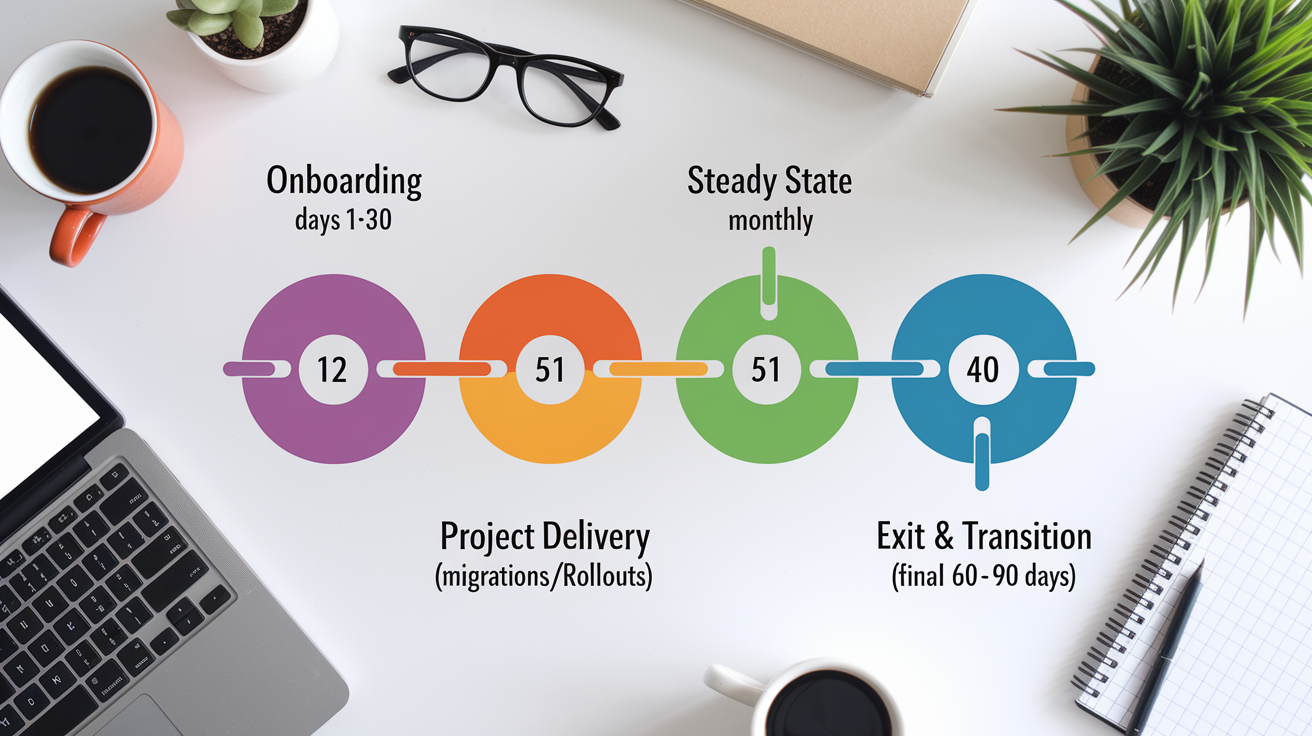
Structured onboarding sets the foundation for successful engagements. Strong tech teams provide onboarding checklists covering account setup, portal access, license inventory, security baseline review, and stakeholder introductions. They deliver knowledge transfer sessions, document current-state architecture, and establish governance frameworks (change approval, incident escalation, reporting cadence) within the first 30 days.
Monthly recurring relationships with thousands of customers require predictable engagement rhythms. Teams use automated provisioning to fulfill license requests within hours, proactive monitoring to detect issues before customers report them, and regular business reviews to align roadmaps with evolving needs. Exit and transition planning should be documented upfront, including data export procedures, knowledge transfer timelines, and contract wind-down terms.
| Engagement Stage | What to Expect |
|---|---|
| Onboarding (Days 1–30) | Onboarding checklist, portal training, license inventory, security baseline, stakeholder kickoff, governance framework setup |
| Steady State (Monthly) | Proactive monitoring, automated provisioning, business reviews, roadmap alignment, cost optimization recommendations, security patching |
| Project Delivery (Migrations, Rollouts) | Defined milestones, change control process, testing/validation gates, user training, post-go-live support, lessons-learned review |
| Exit & Transition (Final 60–90 Days) | Data export, credential transfer, documentation handover, knowledge transfer sessions, contract wind-down, final invoice reconciliation |
How a Trusted Tech Team Demonstrates Proven Results

Validated outcomes matter more than capability claims. Trustworthy teams show proof through pilot projects, minimum viable products (MVPs), and quantified case studies. A successful pilot might deploy Microsoft 365 to a single department, measure adoption and support ticket volume, then scale to the full organization only after validating the process.
Case studies with measurable results build confidence. Examples include 27% reductions in annual Microsoft spend, approximately 180,000 GBP in cost savings via licensing optimization, or “hundreds of thousands of dollars” recovered through subscription rightsizing. Serving over 6,000 monthly recurring customers and supporting Fortune 50 or Nasdaq 50 enterprises signals both scale and trust.
Strong teams treat every engagement as a reference opportunity. They track key performance indicators (licensing cost per user, support ticket resolution time, security incident count, user adoption rates) and share anonymized data with prospects. When a provider hesitates to offer client references or quantified outcomes, assume results are inconsistent or unverifiable.
Avoiding Red Flags When Choosing a Trusted Tech Team

Several warning signs indicate a tech team may not deliver reliable service. Unverifiable certifications or partner claims that can’t be confirmed through official directories suggest inflated credentials. Vague or missing SLAs, such as “best effort support” without defined response times, leave you unprotected when incidents occur. Unclear pricing, refusal to show consolidated billing samples, or surprise fees for essential services like after-hours support signal poor financial transparency.
Watch for these seven red flags during vendor evaluation:
No published certifications or solution designations, or credentials that can’t be verified on official partner portals.
Missing or vague SLAs with no specific response times, uptime guarantees, or escalation procedures.
Opaque pricing models that hide unit costs, discount structures, or additional fees for basic services.
Refusal to provide client references, case studies with quantified outcomes, or proof of recurring customer relationships.
Absence of 24/7 security monitoring (MDR), backup/disaster recovery capabilities, or documented incident response playbooks.
Long provisioning lead times (weeks instead of hours or days) for simple license additions or software downloads.
Inconsistent account management, with frequent staff turnover, unclear escalation paths, or unresponsive support during business-critical issues.
When evaluating a prospective partner, contrast their approach against proven markers of reliability: six solution designations, onshore support with named account managers, licensing calculators and express quoting tools, documented cost savings in the 20–33% range, and a portfolio of contactable enterprise references. A team that welcomes transparency checks and provides detailed answers to technical, financial, and operational questions? That’s the confidence that comes from consistent delivery.
Final Words
In choosing a trusted tech team, this guide laid out the evidence to look for: certifications, security and compliance, operational maturity, pricing clarity, communication, and proof of results. These are the things that actually signal reliability.
We used concrete examples — top‑1% Microsoft partner status, 6,000+ recurring customers, and case‑proven savings — to show how to validate claims.
Check those signals, run the due diligence checklist, and prioritize transparency. Do that and you’ll likely land a trusted tech team that cuts costs, reduces risk, and speeds delivery. That’s worth the time.
FAQ
Q: What does a Trusted Tech Team do?
A Trusted Tech Team provides IT and cloud services—migrations, licensing optimization, managed services, security (24/7 MDR), identity governance, endpoint protection, and ongoing support to reduce costs and speed delivery.
Q: Is Trusted Tech Team a Microsoft partner?
A Trusted Tech Team is a Microsoft partner; it claims a top‑1% ranking among Microsoft partners and holds multiple Microsoft solution designations and cloud competencies that back its Microsoft-focused services.
Q: How much does a Trusted Tech Team account executive make?
A Trusted Tech Team account executive’s pay varies by region, experience, and commission; no public salary figure is provided here—check job listings, Glassdoor, or the company’s recruiting pages for current ranges.
Q: Who is the CEO of Trusted Tech Team?
A The CEO of Trusted Tech Team isn’t named in the provided sources; check the company’s About page, press releases, or LinkedIn for the current executive and official contact details.