


Act fast: the best pre-order and trade-in deals require signing up within 24 to 48 hours of a launch.
If you’re planning to buy a new flagship, missing that window can cost you hundreds in lost bonuses or shut you out of limited instant credits.
This guide shows the exact, step-by-step signup workflow, the documents and account settings to prepare, and the deadlines that matter.
Follow it and you’ll lock in higher trade-in values, get instant discounts when available, and avoid surprise charges later.
Step-by-Step Process to Sign Up for Smartphone Pre‑Order Promotions and Trade‑Ins
Most smartphone pre-order promotions and trade-in offers run on tight schedules that reward early enrollment. Carriers, manufacturers, and retailers usually announce flagship device launches and open pre-order windows within 24 to 72 hours of the official event. Many of the highest value promotions? Reserved for customers who sign up in the first 24 to 48 hours. Miss that window and you could lose hundreds of dollars in trade-in bonuses or get shut out of limited quantity instant credit offers.
Trade-ins add another layer of timing pressure. Once you’ve placed your pre-order and received the new device, most programs require you to ship your old phone back within 14 to 30 days of activation. After the provider receives your trade-in, an inspection period of 7 to 21 business days follows. Only then does the credit process begin, often as monthly bill credits spread over 24 to 36 months. If you miss the shipping deadline, fail inspection, or cancel your service before the credit schedule ends, you may forfeit the entire promotional value and be billed for the remaining device balance.
Complete pre-order and trade-in enrollment workflow:
-
Log in or create an account on your carrier’s website, the manufacturer’s official store, or a major retailer’s portal. Make sure your billing address, payment method, and contact details are current.
-
Enable launch notifications and early access programs if offered. These can unlock additional promotional windows or exclusive device colors before the general public.
-
Select your new device (model, storage size, color) and verify pricing and availability for your preferred pre-order tier.
-
Choose your promotion at checkout. Carrier bill credits, instant manufacturer trade-in discount, or retailer gift card. Confirm that you meet the plan, activation, or port-in requirements.
-
Enter the IMEI or serial number of your existing device if the system prompts you. Some platforms use this to pre-verify eligibility and calculate an instant trade-in estimate.
-
Submit required account information including your account number (if adding a line or porting), proof of identity for financing checks, and a valid payment method for any deposit (often between $10 and $200 depending on the device and retailer).
-
Review the trade-in quote, promo terms, and monthly credit schedule on the checkout summary. Take a screenshot of this page before finalizing the order.
-
Confirm the order and save the confirmation email or order number. This email will include instructions for trade-in packaging, shipping labels, and deadlines.
After confirming your pre-order, mark your calendar for critical deadlines. Most carriers and manufacturers allow 14 to 30 days from activation for you to ship the trade-in device using the prepaid label they provide. Keep your shipping tracking number and confirm that the provider receives the device before the deadline expires. Promo terms are locked in at the moment you complete checkout, so any changes to your plan, payment method, or service before the credit schedule completes can trigger a reversal of the entire offer. You’ll owe the full remaining balance on the new phone.
Pre‑Order Registration Requirements for Smartphone Deals

Before you can place a pre-order or enroll in a promotional trade-in, carriers and manufacturers require a verified account with complete billing and identity details. You’ll need to log in to an existing account or create a new one using your full legal name, current billing address, Social Security number (or national ID) for credit or financing checks, and a valid payment method. Debit card, credit card, or linked bank account. If you’re adding a line or porting in a number from another carrier, you’ll also need your current carrier’s account number and PIN or transfer code to authorize the switch.
Many high value pre-order promotions are announced hours or days before the official device release. The best offers, such as bonus accessories, higher trade-in caps, or instant bill credits, are often reserved for customers who sign up for email alerts or early access programs. Carriers like Verizon and T‑Mobile offer early access portals that let loyalty members or customers with specific plan tiers reserve devices 12 to 24 hours ahead of the general public. Manufacturers including Apple and Samsung run similar programs through their online stores, where you can register for launch notifications and receive a private link to pre-order before the public window opens.
Required information to complete pre-order registration:
-
IMEI or serial number of your current device (for upgrade eligibility checks and trade-in value estimates)
-
Serial number of the new device (sometimes optional, captured automatically at fulfillment in most flows)
-
Billing address (must match the address on file for your payment method and credit check)
-
Valid payment method (debit, credit, or bank account verified by carrier or manufacturer)
-
Government issued photo ID or Social Security number (for identity verification and financing approval)
-
Account number and PIN (for port-in transfers from another carrier or for verifying existing line eligibility for upgrades)
Enable push notifications and email alerts for your carrier or manufacturer account at least one week before the expected launch date. Some retailers send exclusive early access codes or time limited links that expire in as little as two to four hours, so enabling notifications ensures you won’t miss the narrow window. Also confirm that your payment method has sufficient available credit or balance to cover any deposit. Common deposit amounts range from $10 to $50 for most flagship devices, but limited edition models or high storage variants can require deposits of up to $200.
Smartphone Promotion Types and How to Enroll in Each Pre‑Order Offer
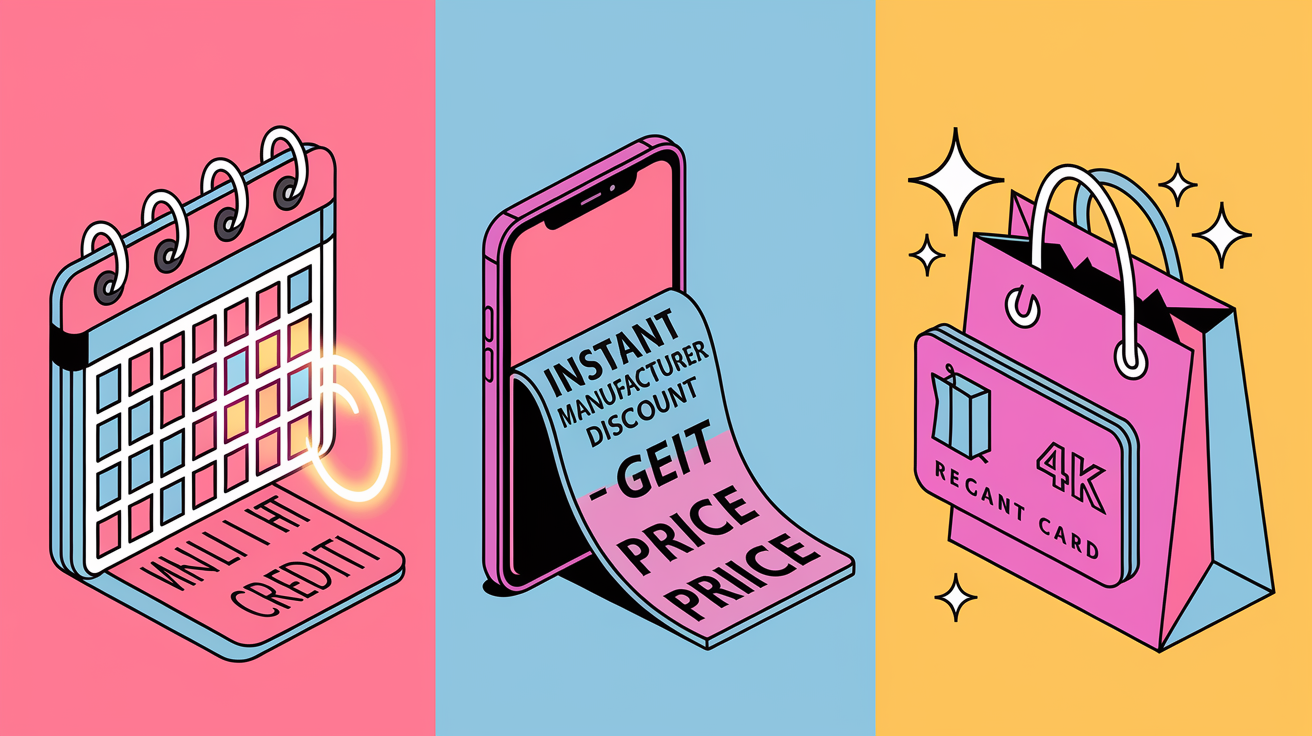
Pre-order promotions typically fall into three main categories, each with different credit delivery schedules and enrollment steps. Carrier-based promotions are the most common for new line or upgrade purchases and deliver value as monthly bill credits applied over 24 to 36 months. For example, a $720 promotional credit appears as $30 off your bill each month for 24 months. Manufacturer run promotions, offered directly on Apple, Samsung, or Google’s online stores, often provide instant trade-in discounts at checkout or issue gift cards for future purchases. These instant credits mean the device price drops immediately, and you owe less on your financing plan from day one. Retailer promotions from big box stores or online marketplaces sometimes combine a trade-in quote with a store gift card worth $100 to $800, valid for 30 to 90 days, which you can use to buy accessories or other electronics.
Enrolling in each type requires selecting the correct offer at checkout. For carrier bill credits, you’ll need to choose an installment plan (usually 24 or 36 months at 0% APR), select a qualifying unlimited or premium plan, and in many cases activate a new line or port in a number from a competitor to unlock the maximum credit value. Manufacturer instant discounts require you to enter the IMEI and condition details of your trade-in device during checkout. The system generates a quote on the spot, and that quote is subtracted from the purchase price before you submit payment. Retailer gift card promotions often require you to complete the phone purchase in full or on a retailer specific financing plan, then submit a separate trade-in claim within 7 to 14 days. Once the retailer receives and inspects your device, they issue the gift card via email or postal mail.
| Offer Type | How Credit Is Delivered | Typical Requirements |
|---|---|---|
| Carrier bill credits | Monthly discount over 24–36 months | New line or upgrade, qualifying plan, Auto Pay enrollment, trade-in received within 14–30 days |
| Manufacturer instant discount | Subtracted from device price at checkout | Trade-in device details entered; payment method on file; device mailed within 14 days after receipt of new phone |
| Retailer gift card | Issued after inspection (email or postal mail) | Phone purchased in full or on retailer financing; trade-in submitted within 7–14 days; gift card typically valid 30–90 days |
When comparing offers, convert multi-month bill credits into a single total to see the real value. $25 per month for 24 months equals $600 total credit. Weigh that against an instant $500 manufacturer discount that lets you pay less from the start and gives you freedom to switch carriers or cancel service without penalty. Also check whether the promo allows stacking: some carriers let you combine trade-in credits with port-in bonuses or new line offers, while others cap the total promotional value at a single maximum amount per device.
Trade‑In Eligibility and Device Condition Rules for Pre‑Order Bonuses

Every carrier, manufacturer, and retailer that accepts trade-ins enforces a set of minimum eligibility and condition standards that determine whether your device qualifies and how much credit you receive. At the most basic level, your trade-in device must power on, must not be locked to an iCloud, Google, or Samsung account, and must have a clean IMEI that isn’t reported lost, stolen, or blacklisted by any carrier. Providers will check the IMEI against national databases during the quote process, and a blacklisted device will be rejected immediately or accepted at a drastically reduced “parts only” value.
Condition grading usually follows a tiered system. “Good” or “Excellent” means the screen is intact with no more than minor scratches, all buttons and cameras function correctly, the battery holds a charge and lasts through a full day of moderate use, and there’s no visible water damage (no triggered liquid indicators inside charging ports or SIM trays). “Fair” or “Poor” condition allows moderate to heavy cosmetic wear, small cracks in the screen that don’t obscure the display, or minor functional issues such as a degraded battery, but still requires the device to power on and respond to touch. Devices graded as Fair or Poor typically see trade-in values drop by 30% to 70% compared to Good/Excellent units. A device worth $600 in Good condition might fetch only $200 to $400 in Fair condition.
Some high value pre-order promotions marketed as “any condition” trade-in offers will still accept cracked screens, barely functioning batteries, or phones that power on but don’t hold a charge, provided the device isn’t activation locked and the IMEI is clean. Verizon’s myPlan promotion, for instance, allows Apple, Google, or Samsung phones “in any condition” to qualify for up to $999.99 in bill credits. But the device must still be received and inspected. If it fails basic functionality checks or has severe water damage that prevents inspection, the promo may be voided and the full device price charged back to your account.
Common disqualifiers that will reduce or void your trade-in value:
-
Device is locked to an iCloud, Google, or Samsung account (Find My iPhone, Factory Reset Protection, or Reactivation Lock enabled)
-
IMEI is blacklisted (reported as lost, stolen, or associated with unpaid balance at another carrier)
-
Touchscreen is non-functional (doesn’t register touch input or is completely unresponsive)
-
Battery doesn’t hold any charge (device powers off immediately or won’t power on even when plugged in)
-
Catastrophic water damage (liquid indicators triggered, corrosion visible, or device won’t complete basic diagnostic tests)
Value ranges vary widely by device tier and market timing. Older midrange phones such as a three year old Samsung Galaxy A-series or Motorola model might fetch $50 to $150 in trade-in credit, while a recent flagship like iPhone 14 Pro, Samsung Galaxy S23 Ultra, or Google Pixel 8 Pro can command $500 to $1,000 in promotional credit when traded toward the latest model. Limited time launch promotions sometimes push total combined discounts and credits above $1,000 when you stack a high trade-in value with port-in bonuses or new line offers, but these enhanced values are almost always time limited to the first week or two of the pre-order window.
How to Get an Accurate Trade‑In Quote Before Pre‑Ordering a Smartphone
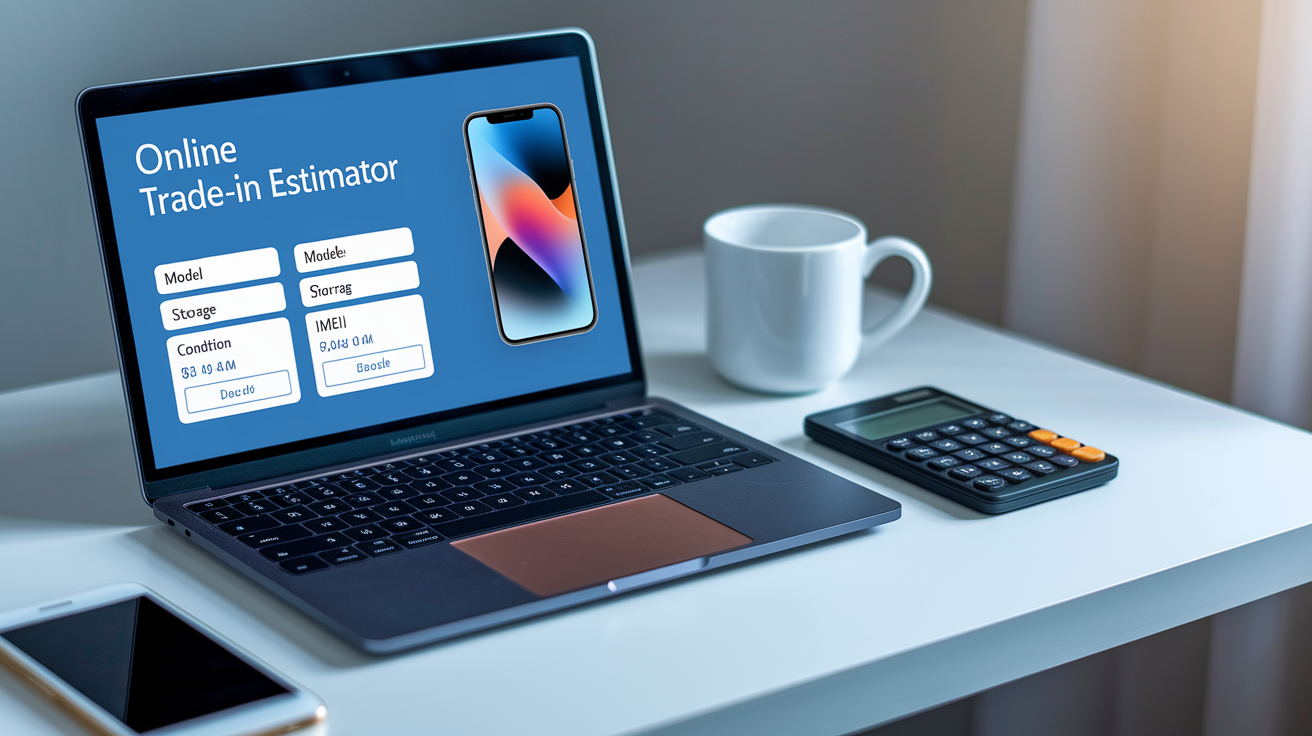
The fastest way to obtain a trade-in quote is to use the online estimator tool provided by your carrier, manufacturer, or retailer. These tools require you to select your device make and model (for example, “iPhone 13 Pro, 256 GB”), indicate the current condition tier (Good, Fair, or Poor), and enter the IMEI or serial number for verification. Within seconds, the estimator displays a preliminary quote, often presented as “up to $X in promotional credit,” and that quote is locked in as long as you submit the device by the stated deadline and it passes final inspection.
In-store appraisals provide a second option and can sometimes yield higher quotes if a store associate spots features or limited edition finishes that the online tool doesn’t account for. However, in-store quotes are still preliminary. The final value is confirmed only after a back-end inspection that checks all the same functionality and cosmetic criteria. Third party buyback services and trade-in aggregators let you compare quotes from multiple buyers at once. Sites like Gazelle, Decluttr, or Swappa offer instant cash or PayPal payment but usually deliver lower total value than carrier or manufacturer promotional credits. That lower cash value can still be attractive if you want to avoid long term service commitments, since third party quotes don’t require you to maintain a specific plan for 24 to 36 months.
Steps to secure and verify your trade-in quote:
-
Use the carrier or manufacturer’s online estimator and enter exact device details (model, storage, condition, IMEI).
-
Take a full page screenshot of the quote confirmation page, including the quoted amount, condition tier, and submission deadline.
-
Compare the online quote with an in-store appraisal if available. Bring the device to a retail location for a second opinion.
-
Check third party buyback sites to see cash offers and confirm you’re getting competitive promotional value.
Final appraisal adjustments are common. If the inspection team finds a cracked screen you reported as “minor scratches,” or discovers a battery that drains faster than you described, the quote may be reduced by $50 to $300 or more. Providers will usually notify you by email or text and offer three options: accept the revised lower quote, decline the revision and have the device returned to you, or cancel the trade-in and pay the full price for the new phone. Always save your initial quote screenshot and compare it to any revised offer to confirm the adjustment is legitimate and documented.
Submitting Your Smartphone Trade‑In: Packaging, Shipping, and In‑Store Drop‑Off
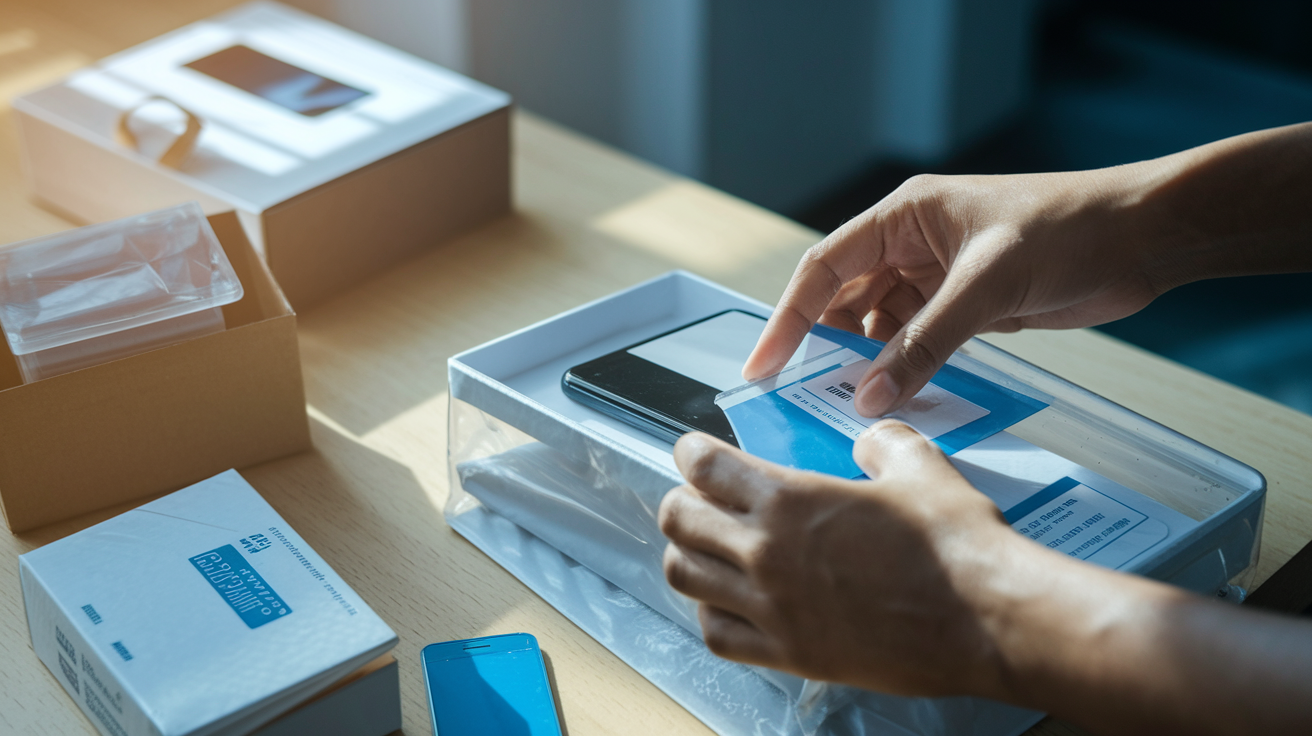
Once you receive your new phone and activate it on your account, the clock starts on your trade-in submission window. Most carriers and manufacturers allow 14 to 30 days from activation for the old device to arrive at their inspection facility. Carriers typically email or text you a prepaid shipping label within one to three days of activation, along with instructions for packaging. Manufacturers may include a trade-in kit in the box with your new phone or send one separately. Either way, you’ll receive a return label, protective materials (bubble mailers or small boxes), and a packing slip that lists your order number and IMEI.
Before packaging the device, confirm with the provider’s instructions whether you should factory reset and remove account locks immediately or wait until the trade-in is received and credited. Many programs ask you to leave the device powered on and unlocked until it passes initial diagnostics, then the inspection team performs the wipe. Removing accounts too early can prevent diagnostics and cause the device to be rejected. Always remove your SIM card (you’ll need it for the new phone), back up your data to the cloud or a computer, and take photos of the device’s condition (front, back, screen-on, and any existing damage) before sealing the package.
Packaging and shipping best practices:
-
Factory reset the device only when instructed by the provider’s trade-in confirmation email. Premature wipes can block inspection.
-
Remove your SIM card and keep it for your new phone or store it safely if switching carriers.
-
Include the packing slip or trade-in form provided in the email or trade-in kit. Write your order number clearly if no slip is included.
-
Seal the box or mailer properly using strong packing tape. Don’t over-pack with excessive bubble wrap that might obscure the device during initial handling.
-
Affix the prepaid shipping label exactly as shown in the instructions. Cover or remove any old shipping barcodes that might cause mis-routing.
-
Drop the package at an authorized shipping location (USPS, UPS, FedEx) and request a receipt with the tracking number. Save this receipt and monitor tracking daily until delivery is confirmed.
In-store drop-off is available at some carrier retail locations and can offer faster credit posting, sometimes within 24 to 48 hours, since the device is inspected on the spot or shipped in bulk to a nearby facility. However, not all stores participate in instant trade-in programs, and policies vary by retailer. Always call ahead to confirm the store accepts trade-ins for pre-order promotions and ask whether they issue provisional credits immediately or send the device to a regional hub for final inspection. Regardless of method, keep your tracking number or in-store receipt. This is your only proof of submission if the device is lost in transit or misplaced at the facility. Most credits post within one to two billing cycles after the provider confirms receipt and inspection, but processing can take up to two to three months during high volume launch periods.
Understanding Promo Credit Timing and Inspection Windows for Trade‑Ins

After the provider receives your trade-in device, an inspection period of 7 to 21 business days begins. During this window, technicians verify that the device powers on, matches the IMEI you submitted, is free of account locks, and meets the condition tier you declared in your original quote. If the device passes all checks, the final trade-in value is confirmed and the promotional credit schedule begins. If the device fails any check (activation lock still enabled, IMEI mismatch, condition worse than quoted), you’ll receive an email or text notification outlining the issue and offering you a choice to accept a reduced value, decline and have the device returned, or cancel the trade-in and pay the full purchase price for your new phone.
Carrier bill credits are the most common credit delivery method and are almost always structured as monthly discounts applied over 24 to 36 months. For example, if you receive a $720 promotional trade-in credit, your monthly bill will be reduced by $30 for 24 consecutive months, but only as long as you maintain the qualifying service plan, keep Auto Pay active, and don’t cancel or downgrade your line. If you cancel service, switch to a non-qualifying plan, or fail to pay your bill, the remaining credit balance is forfeited and you immediately owe the unpaid portion of the device cost. Some carriers issue a provisional credit within the first one to two billing cycles to “front-load” part of the value while the final inspection completes. This provisional amount may be reversed if the inspection later fails.
Manufacturer instant credits are subtracted from the device purchase price at checkout, so you finance a lower amount from day one and the credit is effectively delivered up front. You still must ship the trade-in device within the stated deadline (usually 14 to 30 days) and pass inspection. If you fail to ship or the device is rejected, the manufacturer will charge your payment method the full initial trade-in value you received, often as a single lump sum charge. Retailer gift card promotions are processed after inspection completes, and the card is typically issued via email or postal mail within 7 to 14 business days of final approval. These cards carry expiration dates (commonly 30 to 90 days) and can only be used at the issuing retailer or its partner brands.
| Credit Type | When Applied | Common Term Length | Risks |
|---|---|---|---|
| Carrier bill credits | Monthly over 24–36 months; first credit posts 1–2 billing cycles after inspection | 24 or 36 months | Cancelled service or plan change voids remaining credits; you owe full unpaid device balance |
| Manufacturer instant discount | Subtracted at checkout; must ship device within 14–30 days | N/A (one-time) | Failure to ship or pass inspection triggers immediate charge-back of full trade-in value |
| Retailer gift card | Issued 7–14 days after inspection approval | N/A (one-time; card valid 30–90 days) | Gift card expires; late submission or failed inspection means no card issued |
| Provisional carrier credit | Applied immediately or within 1 billing cycle; subject to reversal | Temporary until inspection completes | Reversed if device fails inspection; full device balance becomes due |
Activation deadlines are critical for carrier promotions. Most require you to activate the new device on a qualifying plan within 14 to 30 days of receiving it, and that activation date triggers both the trade-in shipping countdown and the start of the credit schedule. If you delay activation past the deadline, the promotional offer may be voided entirely. Always set calendar reminders for: activation deadline (typically within 14 days of delivery), trade-in shipment deadline (14 to 30 days post-activation), and the first billing cycle when credits should appear (60 to 90 days after activation in most cases). Keep all confirmation emails and tracking receipts in a dedicated folder so you can reference exact dates and proof of compliance if any dispute arises.
Comparing Smartphone Pre‑Order Promotions Across Carriers, Manufacturers, and Retailers
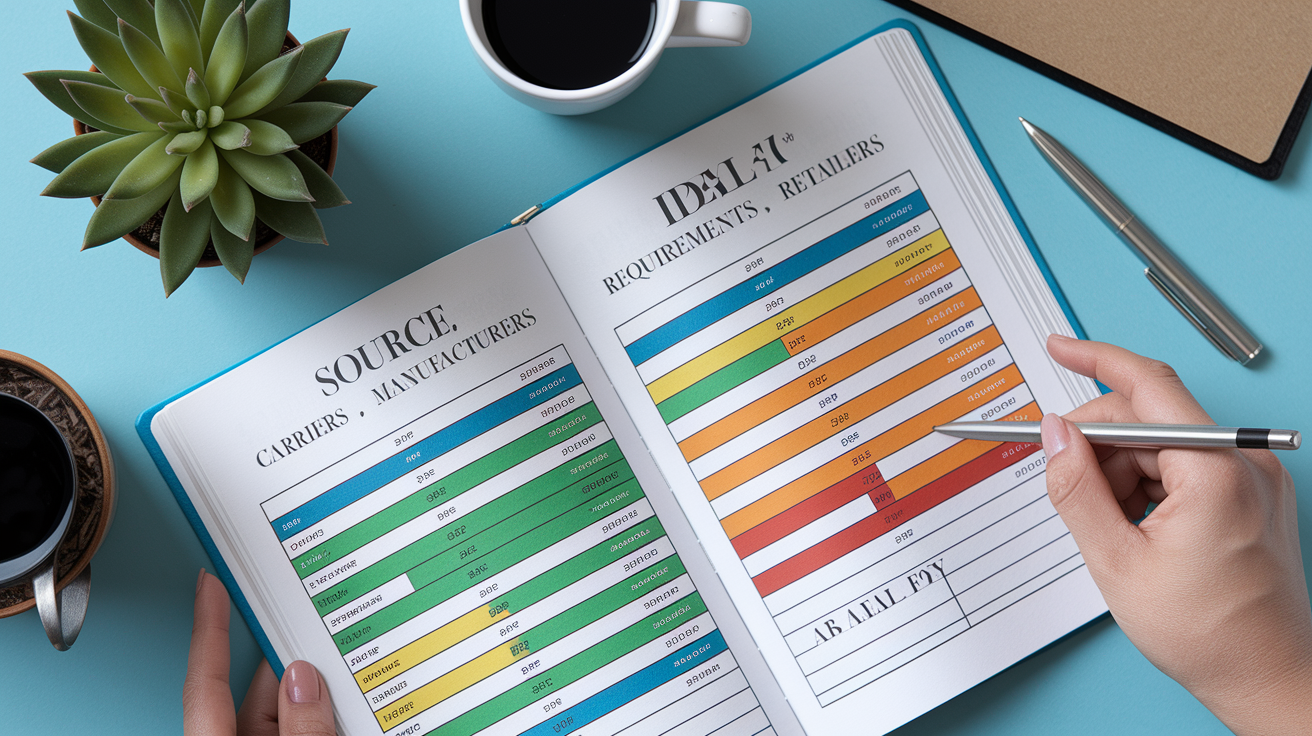
Promotional credit caps, contract requirements, and credit delivery methods vary significantly depending on where you buy your new phone. Carriers such as Verizon, AT&T, and T-Mobile typically offer the highest total promotional values, often $700 to $1,000 in bill credits. But these credits are locked to 24 or 36 month service agreements, require you to maintain a premium unlimited plan (costing $65 to $90 per month or more), and mandate Auto Pay enrollment. If you cancel early, switch to a cheaper plan, or move to another carrier, you lose all remaining credits and must pay the full unpaid device balance in a single lump sum. Manufacturers like Apple, Samsung, and Google provide instant trade-in discounts or gift cards that reduce your purchase price immediately, with no ongoing service commitment. The headline trade-in values are often $100 to $300 lower than carrier offers, though. Retailers (big box electronics chains and online marketplaces) sometimes split the difference by combining a moderate trade-in quote with a store gift card worth $100 to $500, valid for 30 to 90 days, which you can use to buy accessories, extended warranties, or other products.
When deciding where to pre-order, compare the effective total value by converting bill credits into a present sum (for example, $30 per month for 24 months equals $720 total), subtracting any plan cost increases you’ll pay to meet promo requirements, and weighing the flexibility to switch carriers or cancel service. An instant $500 manufacturer discount may be worth more than a $700 carrier bill credit if you plan to move to a different carrier within two years, since you won’t forfeit any value by leaving early.
| Source | Credit Type | Typical Requirements | Ideal For |
|---|---|---|---|
| Carrier (Verizon, AT&T, T-Mobile) | Monthly bill credits over 24–36 months | New line or upgrade, qualifying unlimited plan, Auto Pay, trade-in within 14–30 days | Long-term customers willing to commit to a premium plan for 2–3 years |
| Manufacturer (Apple, Samsung, Google) | Instant discount or gift card at checkout | Trade-in device shipped within 14–30 days; no ongoing service requirement | Users who value flexibility to switch carriers or who buy unlocked devices |
| Retailer (Best Buy, Amazon, Costco) | Store gift card issued after inspection | Phone purchased in full or on retailer financing; trade-in submitted within 7–14 days | Shoppers who want to use credit for accessories or other electronics; no carrier lock-in |
Main comparison criteria to evaluate before choosing a pre-order source:
-
Total promotional value (convert multi-month credits to a single sum and subtract any plan cost increases)
-
Contract or commitment length (24 vs 36 months; manufacturer offers typically have no ongoing commitment)
-
Plan or activation requirements (new line, port-in, specific unlimited tier, Auto Pay enrollment)
-
Credit delivery speed (instant discount vs bill credits that may take 60 to 90 days to begin)
When you compare offers, also check for promo stacking rules. Some carriers allow you to combine a trade-in credit with a port-in bonus (for example, $300 trade-in + $200 port-in = $500 total), while others cap the maximum combined promotional value at a single per-device limit. Manufacturers rarely stack offers but may run separate promotions for students, military, or first responders that reduce the base device price before trade-in credits are applied. Retailers sometimes bundle free accessories (cases, chargers, or earbuds) with pre-orders, which can add $50 to $150 in effective value even if the trade-in quote itself is lower than a carrier’s offer.
Documentation, Proofs, and Screenshots Needed to Secure Pre‑Order and Trade‑In Credits

Keeping complete records of every step in the pre-order and trade-in process is essential because promotional credits can take months to post, and disputes over eligibility or value are common. Most carrier and manufacturer systems require you to prove that you enrolled in the promotion, met all timing and condition requirements, and submitted the trade-in device by the deadline. That proof often rests on screenshots, confirmation emails, and tracking receipts that you must save and organize yourself.
Start by taking a full page screenshot of the checkout summary page before you submit your pre-order. This page should display the promotional offer description (including the exact credit amount and term length), the trade-in quote with IMEI or serial number, the device model and storage size you’re purchasing, any deposit amount, and the total financed price after promotional credits are applied. Save this screenshot as a PDF or image file with the date in the filename (for example, “2025-03-15PreOrderConfirmation.png”), and email it to yourself or upload it to cloud storage so it can’t be lost if your device is damaged or replaced.
Required proofs and documentation to retain for the full promotional term (24–36 months):
-
Order confirmation email with order number, device details, and promotional offer summary
-
Trade-in quote screenshot showing IMEI or serial, quoted value, condition tier, and submission deadline
-
IMEI or serial number screenshot from your device’s settings menu (iOS: Settings > General > About; Android: Settings > About Phone)
-
Shipping tracking number and delivery receipt confirming the trade-in device was received by the inspection facility
-
Activation confirmation email or text showing the date your new device was activated and the associated phone number
-
First billing statement showing the promotional credit (or provisional credit if issued early)
-
Full promotional terms and conditions page saved as a PDF, including fine print about plan requirements, early cancellation penalties, and inspection criteria
Many promotional disputes arise because customers can’t prove they submitted the trade-in by the deadline, or because the carrier claims the device failed inspection but the customer has no photographic evidence of its condition at the time of shipment. Always take time stamped photos of the device (front, back, screen-on showing the home screen, any existing damage, and the IMEI displayed in settings) immediately before packaging it. If you ship via USPS, UPS, or FedEx, request a receipt with the tracking barcode and keep it in a folder with your other promo documents. This receipt is your only proof of the ship date if the tracking system shows a delay or if the package is lost in transit. Set calendar reminders to check your account every billing cycle for the next three to six months, confirm that promotional credits are posting as expected, and immediately contact customer service if any credit is missing or reduced without explanation.
Common Pitfalls and Deadline Mistakes When Signing Up for Smartphone Pre‑Order Promotions

The most frequent mistake users make is missing the trade-in shipping deadline. Carriers and manufacturers typically allow 14 to 30 days from activation to ship the old device. If the tracking system shows the package wasn’t dropped off by day 30, the entire promotional offer is voided. You lose the trade-in credit and are billed the full price of the new phone. Even if you printed the shipping label on day 10, if you forget to actually drop the package at a shipping location before the deadline, the promotion is lost.
Failing to remove account locks before shipping is the second most common error. If you perform a factory reset and remove your iCloud, Google, or Samsung account before the inspection team requests it, you may prevent the device from powering on or passing diagnostics, which can result in rejection. Conversely, if you forget to remove the locks at all, the device will be returned or recycled and you’ll receive no credit. Always follow the exact instructions in your trade-in confirmation email. Most programs ask you to leave the device unlocked and powered on until it reaches the inspection facility, at which point the team performs the wipe and final checks.
Misreading plan requirements is a third pitfall. Many high value carrier promotions require enrollment in a specific unlimited plan tier, such as “Unlimited Plus” or “Unlimited Ultimate,” and moving to a cheaper plan or adding a line to a non-qualifying shared data plan will immediately stop bill credits. If you signed up for a $90 per month plan to unlock a $1,000 trade-in credit but later downgrade to a $65 per month plan to save money, you forfeit all remaining credits and owe the unpaid device balance, often several hundred dollars or more.
Five most common pitfalls that void promotional credits:
-
Missing the 14 to 30 day trade-in shipping deadline (always drop the package at least 3 days before the deadline to account for carrier pickup delays)
-
Submitting a device that’s still locked to iCloud, Google, or Samsung account (follow the provider’s instructions on when to remove locks)
-
Changing or canceling the service plan before the 24 or 36 month credit schedule completes (even a one tier downgrade can void all future credits)
-
Trading in a device that doesn’t meet condition requirements (reporting “Good” condition when the screen is cracked often results in a reduced quote or rejection after inspection)
-
Ignoring model specific or storage specific promo caps (some offers apply only to the base storage tier or exclude certain colors or configurations)
Canceling your phone service or switching carriers before the promotional period ends will trigger an immediate bill for the remaining device balance minus any credits already received. For example, if you received $500 in bill credits over 18 months of a 36 month agreement and then cancel, you’ll owe the remaining $500 plus the unpaid portion of the device cost (often $300 to $700 depending on the phone’s price). This “early termination charge” isn’t a penalty fee. It’s simply the full retail price of the phone that was financed at 0% APR and discounted via monthly credits you’ve now forfeited by leaving early. Always review the promotional terms for the exact cancellation policy and calculate the total cost of leaving before your contract ends. In many cases, paying an early termination fee at a competitor or buying out your device in full is cheaper than forfeiting six or twelve months of remaining promotional credits.
Final Words
Get your account ready, pick the right promo at checkout, enter IMEI/serial, and submit the trade-in on time. That’s the step-by-step you need. We covered signup requirements, how promos differ, device condition rules, getting a quote, packing and shipping, and credit timing.
Remember deadlines: pre-order windows often close within 24-72 hours, and trade-ins usually must ship in 14-30 days to keep credits.
If you follow the checklist for how to sign up for smartphone pre-order promotions and trade-ins, you’ll lock in the best offers and avoid surprises.
FAQ
Q: Which phone is least likely to be hacked?
A: The phone least likely to be hacked is one that gets prompt security updates and strong OS protections—newer iOS or Android models with monthly patches, device encryption, and enabled biometric or passcode locks.
Q: How does the T-Mobile $800 credit work?
A: The T-Mobile $800 credit works as bill credits applied over time after you trade in a qualifying device and activate or add a line; credits typically post monthly across 24–36 months and depend on inspection and plan rules.
Q: When can I pre-order the new iPhone 17?
A: You can pre-order the new iPhone 17 once Apple or carriers open pre-orders—usually announced on launch day, with pre-orders starting within 24–72 hours and shipping the following week; enable alerts to lock terms.
Q: What do I need to do to get my phone ready for trade-in?
A: To get your phone ready for trade-in, back up your data, remove accounts and locks (iCloud/Google), factory reset, photograph condition and IMEI, remove the SIM, charge the battery, and pack securely with tracking.