


Want an 85-inch 4K TV for $1,000 instead of $1,400?
Deals like that are real—electronics from phones to laptops are often 20–70% off, and refurbished or open-box items can cut costs even more.
This post shows where the deepest discounts hide, how to tell a real bargain from a fake one, and the quick rules that save you hundreds without risking buyer’s remorse.
You’ll learn practical steps—compare price history, check grading and warranties, and use alerts so you don’t miss limited-stock deals.
Finding the Best Tech for Less Deals Right Now

Right now, a TCL 85 Inch Class T7 Series is sitting at $1,000 down from $1,400. That’s $400 off and 29 percent below list for anyone hunting a large-screen upgrade without blowing the budget. This kind of discount shows what’s available across electronics today: phones starting at $99, laptops topping out around $2,499, tablets ranging $89 to $999, and TVs spanning $79 all the way to $3,999. Discounts usually land between 20 and 70 percent off manufacturer suggested retail, with warranties running anywhere from 30 days to a full year. Refurbished devices carry grading labels like Excellent, Good, Fair, or Ecofriendly so you know exactly what you’re getting before checkout.
Where you shop determines which categories show the deepest cuts. Clearance sections, certified pre-owned inventories, and open-box listings move quickly. Many show real-time stock counts to signal urgency. Available quantities range from a single unit to more than 50 in some cases, and retailers often publish percentage savings directly on product tiles to make comparison instant.
The most common discounted tech categories include:
- Smartphones (new, refurbished, and certified pre-owned handsets)
- Laptops (consumer notebooks and business-grade machines)
- Tablets (entertainment slates and productivity devices)
- Desktops and servers (tower PCs and rack-mount units)
- Televisions and home theater components (displays, soundbars, projectors)
- Audio gear (headphones, earbuds, speakers)
- Cameras and drones (still cameras, action cams, quadcopters)
- Accessories and peripherals (chargers, cables, cases, keyboards, mice)
Availability indicators such as in-stock counts and discount percentages appear alongside each listing. When a popular SKU drops to single-digit inventory or shows a countdown timer, that typically signals the end of the window.
Budget-Friendly Tech Options for Less Across Every Category

Budget-friendly tech centers on devices that deliver core functions without premium branding or the latest silicon. Prior-generation models sit one or two years behind the current flagship but handle everyday tasks without performance gaps most people notice. Email, browsing, streaming, document editing. Choosing last year’s processor or an older display panel can cut the price while preserving reliability and long-term software support.
Refurbished and open-box inventory extends budget reach even further. A refurbished smartphone graded Excellent shows minimal cosmetic wear and passes multi-point testing. A Good-grade laptop may carry light scratches but identical internal performance. Fair-condition devices trade cosmetic perfection for steeper discounts and remain fully functional. Understanding these trade-offs lets you match condition to use case. If the device lives in a case or dock, cosmetic grade matters less.
Accessories and peripherals offer the easiest entry point for budget buyers. Generic charging cables, third-party cases, and unbranded screen protectors perform the same job as name-brand equivalents at a fraction of the cost. Failure risk stays low because these items carry simple electronics or none at all.
| Category | Typical Value Attributes | Common Conditions |
|---|---|---|
| Smartphones | Prior-generation chipsets, adequate storage, solid battery health | New, Refurbished (Excellent/Good/Fair), Certified Pre-Owned |
| Laptops | Older processors, 8 GB RAM, SSD standard, sufficient ports | New/Open-Box, Refurbished (A/B/C grade), Used |
| Tablets | Previous-year models, stable app performance, compatible accessories | New, Refurbished (Excellent/Good), Certified Pre-Owned |
| Televisions | Last-generation panels, 4K standard, HDR10, smart platform updates | New, Open-Box, Refurbished (Grade A/B) |
| Audio | Proven driver designs, wired or wireless, long battery runtime | New, Refurbished (Good/Fair), Open-Box |
Prior-generation models deliver strong value because manufacturers continue driver and firmware support for several years. Real-world performance differences between generations often appear only in benchmarks or high-end workflows most users never run.
How to Compare Prices and Save More on Tech for Less

Price comparison turns a single product listing into context. Checking the same model across three or four retailers reveals who holds the lowest price today. Looking at price history shows whether that number represents a genuine deal or just a return to normal.
Using Price History to Identify Real Deals
Tracking 30, 60, and 90-day price ranges exposes volatility and establishes a baseline. When the TCL 85-inch T7 dropped below $1,000 in the past and later spiked back to the $1,400 list price, the current $1,000 offer sits at historical-low territory. That’s a true discount rather than manufactured savings. Volatile pricing suggests limited inventory or seasonal clearance, while stable pricing with occasional dips points to controlled promotions. Comparing today’s price against the 90-day low tells you how much room remains for waiting versus the risk of losing stock.
Tracking Price Drops and Alerts
Deal alerts automate the hunting process. Setting an alert on a specific model or price threshold sends a notification when the target is met. You don’t have to check daily. Seasonal trends create predictable windows when categories see wider markdowns. Back-to-school in August, Black Friday in November, post-holiday clearance in January. Limited-time promotions tied to countdowns or “while supplies last” language often mean the price won’t repeat until the next clearance cycle, so confirming stock and acting within the window becomes critical.
Comparison shopping across retailers, especially when you layer in bulk discount tiers, can unlock savings that single-unit purchases never reach. Buy one at full discount, buy three or more for a deeper per-unit cut, buy ten-plus for wholesale pricing. Tracking all these variables manually takes time. Using price-comparison tools or setting alerts lets the system do the work and notifies you only when the math works in your favor.
Tech for Less Through Refurbished, Certified, and Open-Box Devices

Refurbished devices are previously owned or returned units that have been inspected, repaired if needed, tested, and repackaged for resale. Certified pre-owned products meet a manufacturer or retailer standard, often a multi-point inspection process, and carry a warranty that approaches or matches new-device coverage. Open-box items are products returned shortly after purchase, usually unopened or lightly used, with original packaging that may show handling marks but contents that remain complete and functional.
When evaluating any of these options, check:
- Inspection scope and point count (a 90-point inspection covers more than a 30-point check)
- Warranty length and what it covers (parts, labor, software support)
- Return window and whether it’s no-questions-asked or conditional
- Grading transparency (clear definitions for Excellent, Good, Fair)
- Included accessories (original charger, cables, manuals, or generic equivalents)
- Carrier unlock status for phones (unlocked devices work across networks, locked units tie you to one carrier)
A 12-month warranty on a refurbished device signals confidence in the refurbishment process and shifts risk away from you. A 30-day return guarantee gives you time to test real-world performance. Battery life, screen quality, button feel, software stability. Free two-day shipping removes a friction point and speeds up the evaluation cycle, letting you return a device within the window if it doesn’t meet expectations.
Comparing refurbished value to new comes down to acceptable trade-offs. A device graded Good may show light cosmetic wear that disappears inside a case, while internal components perform identically to the Excellent grade. If the price gap between Good and Excellent is significant and cosmetics don’t matter for your use, Good becomes the rational choice.
High-Value Big-Screen Tech for Less: TVs and Home Entertainment
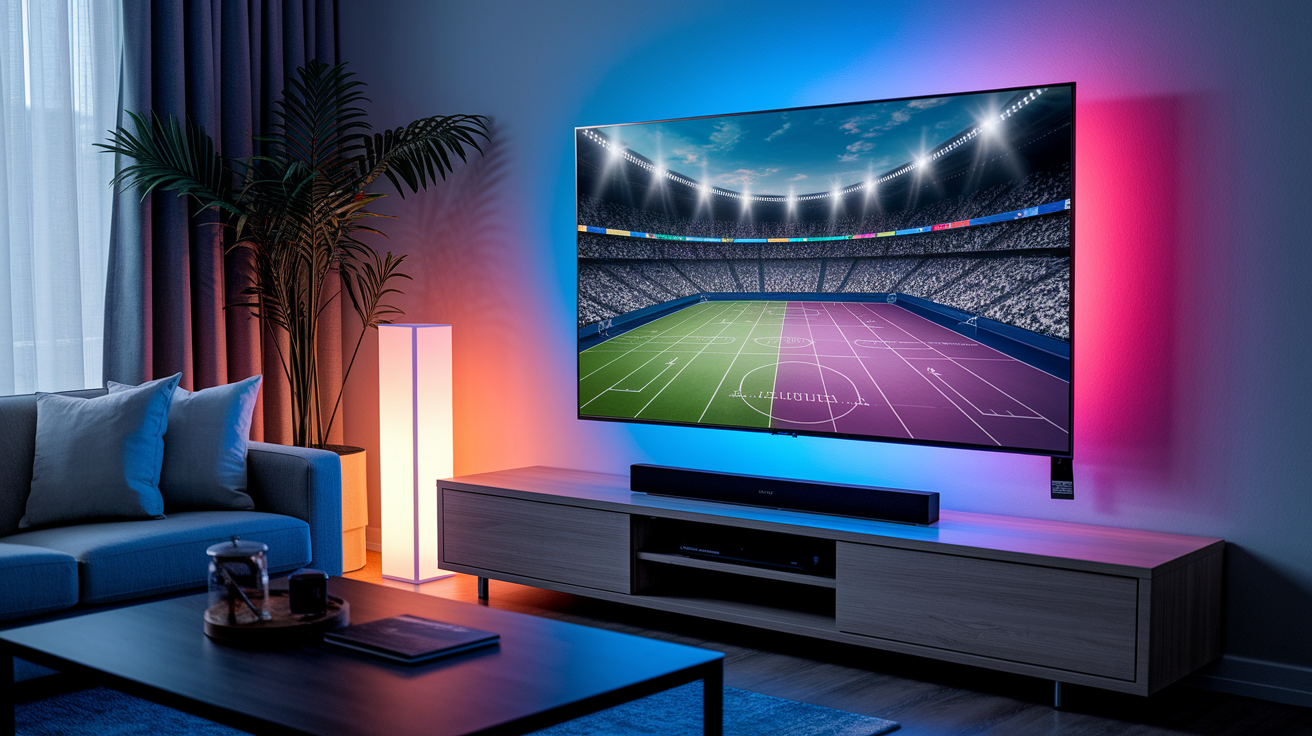
Large-screen televisions deliver outsized value because panel costs drop quickly after a model’s first year. Year-over-year performance gains in mid-tier sets remain incremental. A prior-generation 85-inch display often costs less than a current-year 65-inch flagship, and for most viewers the size difference outweighs the processing improvements. The TCL 85-inch Class T7 Series deal at $1,000 versus the $1,400 list packages an 85-inch 4K QLED panel with a native 144 Hz refresh rate, Game Accelerator 288 technology that boosts effective refresh up to 288 Hz for gaming, ALLM (Auto Low Latency Mode), Dolby Atmos audio, Smart Google TV, and four HDMI inputs including eARC. All earning a 4.4 out of 5 user rating. That feature set, at that price, makes sense for anyone prioritizing screen real estate and gaming-friendly specs over cutting-edge processing.
Alternative big-screen discounts span OLED, Mini-LED, and standard LED technologies. An 83-inch Samsung OLED from the prior model year offers self-lit pixels and infinite contrast at a discount that brings it closer to mid-tier LED pricing. An 85-inch Sony LED with Dolby Vision HDR and Google TV provides brand reliability and broad app support. Hisense Mini-LED models push brightness specs (2,500-nit claims, 120 Hz panels, Dolby Vision Atmos) while undercutting established brands. LG QNED series sets blend quantum-dot color and AI upscaling, and often appear in clearance when newer QNED generations arrive.
Before committing to any large-screen purchase, confirm physical fit. Measure your wall or stand, check the TV’s footprint with and without the stand, and ensure your room allows the recommended viewing distance. Verify current stock and whether the retailer’s return policy accommodates large items without restocking fees. Check warranty specifics and whether it’s handled by the manufacturer, the retailer, or a third party.
Getting Smartphones, Laptops, Tablets, and Accessories for Less
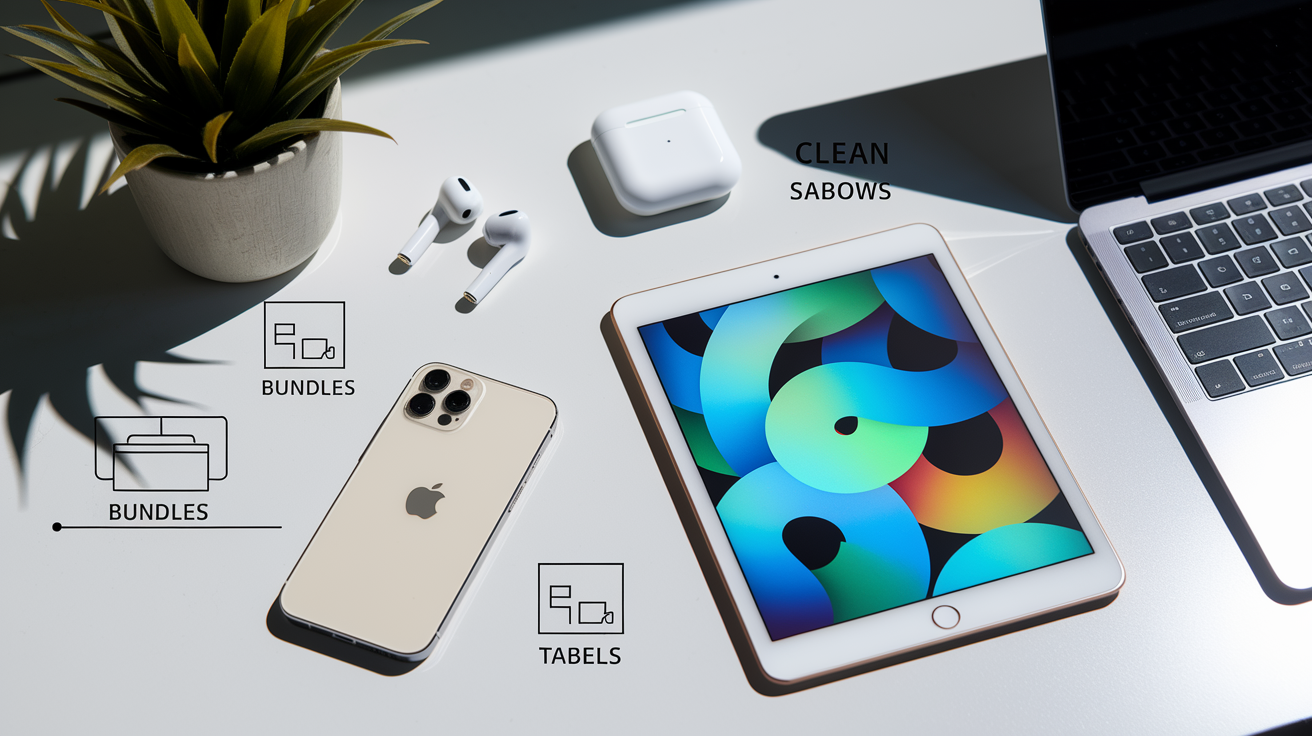
Smartphones and laptops see frequent promotions because inventory turns quickly and new generations arrive on predictable schedules. Retailers clear prior models to make room, and refurbished units enter the market as leases end or upgrade programs cycle. Tablets occupy a middle ground. Less frequent updates than phones, longer ownership cycles than laptops. This creates value windows when older generations remain fully capable for media consumption and light productivity.
Real pricing examples from current discount inventory:
- iPhone 16 models starting from $503 (latest-generation Apple flagship at entry storage tier)
- iPhone 13 models starting from $247 (three-generation-old device, still receiving iOS updates)
- iPhone 14 models starting from $247 (two-generation-old, solid camera and performance)
- Samsung Galaxy S22 5G 128GB starting at $135 (two-year-old Android flagship with strong specs)
- Samsung Galaxy S24 FE starting at $285 (current Fan Edition, balancing features and cost)
- Google Pixel 8 starting at $215 (prior-generation Pixel with Google’s AI features)
- iPad 9th Generation starting under $179 (entry-level Apple tablet, compatible with first-gen Pencil)
- iPad Mini 5th Generation starting at $165 (compact tablet for reading and note-taking)
- MacBook Air M1 models available as entry-level laptop option (Apple Silicon, fanless design, long battery)
- AirPods Pro 3rd Generation starting from $195 (current Apple earbuds with active noise canceling)
Accessories and bundles amplify savings by packaging necessities at a single checkout. Cases, screen protectors, fast chargers. Starter Packs combine a phone with essential add-ons at a price below buying each separately. Generic USB-C cables, third-party chargers with the same wattage and certification as name brands, and unbranded protective cases cost a fraction of official accessories while delivering identical function. When you buy a laptop or tablet, checking for bundle deals that include a sleeve, mouse, or hub can eliminate separate orders and shipping fees.
How to Maximize Savings with Tech for Less Programs, Discounts, and Payment Options

Stacking discounts means layering multiple savings on a single transaction. Base sale price, promotional code, student or loyalty discount, trade-in credit, cashback reward. Not every retailer allows full stacking, but many permit at least two or three layers. The combined effect can push total savings well beyond the advertised percentage.
Understanding Financing and Payment Plans
Zero-percent APR financing spreads cost across six, twelve, or eighteen months without interest, turning a single large payment into manageable monthly installments. Eligibility usually requires a credit check, and missing a payment can trigger retroactive interest. This option works best when your budget reliably covers the installment and you pay off the balance before the promotional period ends. Some retailers offer “buy now, pay later” services that split purchases into three or six payments with no credit check, though fees apply if you miss a due date.
Discount categories that stack or combine include:
- Student and educator discounts (often require verification through a third-party service)
- Trade-in programs (credit applied at checkout for old devices)
- Loyalty and rewards points (redeemed for statement credit or instant discount)
- Seasonal promotions (holiday sales, back-to-school, clearance events)
- Promotional codes and limited-time coupons (email signups, app-exclusive codes)
Timing purchases around major sale windows historically yields the steepest single-event discounts. Black Friday, Cyber Monday, Amazon Prime Day, back-to-school weeks. Combining a sale price with a promo code and a trade-in credit can push effective cost down by half or more. Loyalty programs that award points on every purchase let you bank credit for future orders, creating a rolling discount once your points balance builds. Environmental programs that plant trees or offset e-waste for each purchase add value beyond price, appealing to buyers who prioritize sustainability alongside savings.
Evaluating Tech for Less: Ratings, Specs, Availability, and Policies

Customer reviews aggregate real-world experience into a numeric average and qualitative feedback. A 4.4 out of 5 rating on hundreds of reviews carries more weight than a 5.0 based on twelve. Reading recent reviews sorted by date reveals whether quality remained consistent or declined after a manufacturing change. Verified-buyer tags confirm the reviewer actually purchased the product, filtering out incentivized or fake feedback.
Specs determine whether a device meets your use case. A laptop with 8 GB of RAM handles web browsing and office apps but struggles with photo editing or virtual machines. 16 GB opens those workflows. A TV’s native refresh rate (60 Hz, 120 Hz, 144 Hz) affects motion clarity in sports and gaming. Connectivity counts matter. Four HDMI ports support more devices without an external switch, two may require unplugging. Battery capacity in milliamp-hours (mAh) correlates with runtime, though efficiency varies by chipset.
| Checkpoint | What to Look For | Examples from Deals Data |
|---|---|---|
| Customer Rating | Numeric average, total review count, recent feedback trends | 4.4 out of 5 on TCL 85″ T7; check for sample sizes above 50 reviews |
| Stock Status | In-stock count, backorder timelines, low-inventory warnings | Inventory displayed as 1, 5, 12, or 50+ units available |
| Warranty & Returns | Warranty length, coverage scope, return window, restocking fees | 12-month warranty standard; 30-day no-questions-asked return guarantee |
| Key Specifications | Processor, RAM, storage, display size/resolution, refresh rate, ports | 144 Hz native refresh, 4 HDMI ports, 4K QLED, Dolby Atmos audio |
Verifying return windows before purchase protects you if the device doesn’t meet expectations. A 30-day return period gives time to test battery life, screen quality, and app performance under real use. Policies that waive restocking fees on defective or misrepresented items reduce risk. Warranty coverage that includes parts, labor, and software support for 90 days or longer shifts repair costs to the seller and signals confidence in the refurbishment or quality-control process.
Final Words
Deals like the TCL 85″ T7 at $1,000 (vs $1,400) and the smartphone examples show how much you can save when you shop with a plan. This guide ran through finding clearance and open-box items, reading refurbished grades and warranties, and using price history and alerts to spot real bargains.
Check specs, warranty length, and stock counts before you hit buy. Also watch financing and trade-in options to boost savings.
With those steps, scoring great tech for less is fast, safe, and rewarding.
FAQ
Q: How does TechForLess keep prices low?
A: TechForLess keeps prices low by buying excess and open-box inventory, using certified refurbishers, selling high volumes with thin margins, and running clearance and seasonal deals to move stock quickly.
Q: What is the best website to buy refurbished tech?
A: The best website to buy refurbished tech depends on seller trust, certified refurbishment, clear grading, warranty length, and easy returns — pick a site with third-party testing and transparent condition labels.
Q: Who is TechForLess and where is Tech for Less located?
A: TechForLess is an online retailer that offers discounted new, refurbished, and open-box electronics; it primarily operates online — check the company’s About or Contact page for its official location.